
Exploring Square Properties in Parallelograms
Loading the math board and drawing, please wait…
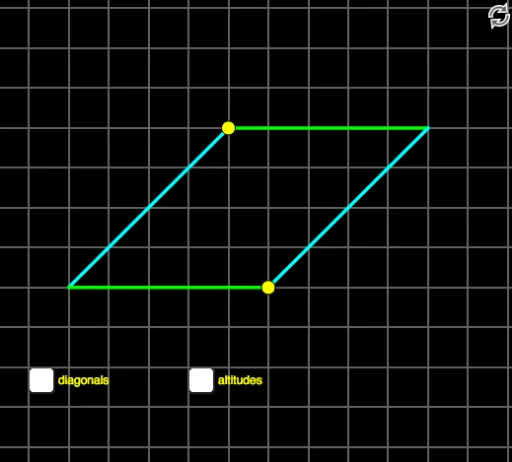
This GeoGebra example demonstrates how a parallelogram exhibits square properties through dynamic geometric construction. Core mathematical concepts include parallelogram properties, square identification criteria, angle relationships, area and perimeter calculations. Construction highlights: Using Point commands to create vertices, Polygon for quadrilateral construction, Line and OrthogonalLine for edges and perpendiculars, Intersect for intersection points, Area and Perimeter for measurements, and Segment for line drawing. Suitable for middle school geometry teaching, ideal for exploring quadrilateral classification, verifying square theorems, and understanding special parallelogram properties.
GeoGebra Commands & Parameters
Point(a) → CPoint(a) → APolygon(A, B, D, C) → poly1, a_1, b_1, d, cIntersect(c, a_1) → JLine(B, J) → nOrthogonalLine(C, a_1) → lLine(B, a) → bArea(poly1) → ePerimeter(poly1) → fSegment(B, (x(B), 0)) → gIntersect(c, a_1) → EIntersect(d, b_1) → FSegment(E, F) → jSegment(B, C) → kIntersect(l, c) → HIntersect(l, a_1) → IIntersect(l, n) → GSegment(G, C) → mOrthogonalLine(C, n) → pIntersect(p, n) → KSegment(C, K) → q
AI Drawing Prompt Reference
Draw a parallelogram and explore square properties through geometric construction. First create four vertices and connect them in order to form a parallelogram, then calculate and display its area and perimeter. From certain vertices, draw perpendicular lines to opposite sides, and from another vertex draw a perpendicular to a side. These perpendicular lines intersect at new points. Connect some intersection points with line segments to form internal auxiliary lines, demonstrating the relationship between parallelograms and square identification theorems.
The prompt above was compiled from the original drawing commands and is for reference only.