
Exploring Rhombus Properties by ctmathnut
Loading the math board and drawing, please wait…
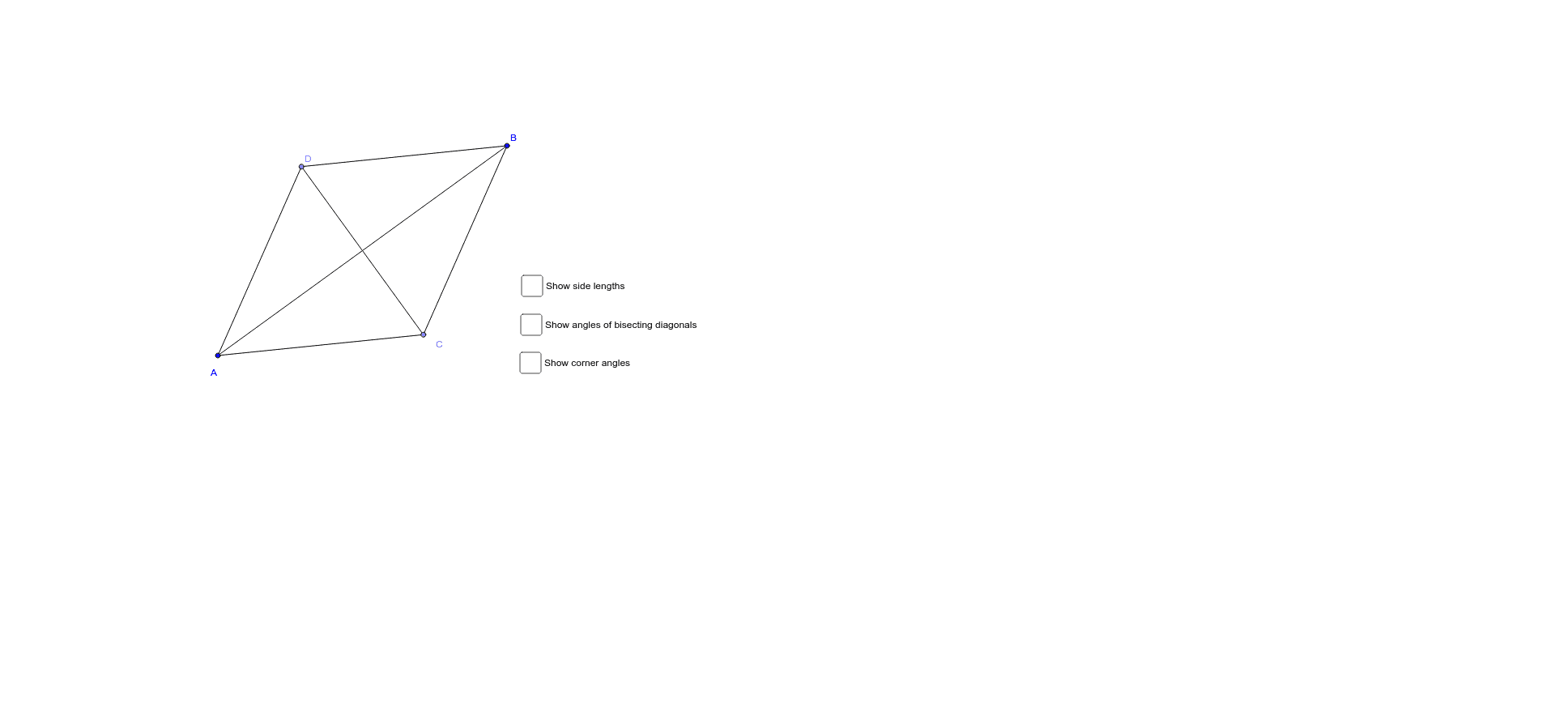
This example demonstrates the geometric properties of a rhombus, including side lengths, angles, and diagonal relationships. Key math concepts involved are polygons, angles, geometric construction, and symmetry. It is constructed using GeoGebra commands and objects such as Line, LineBisector, Point, Mirror, Segment, Intersect, and Angle. Suitable for middle school students and above for learning polygon properties or for mathematical instruction.
GeoGebra Commands & Parameters
Line(A, B) → aLineBisector(B, A) → bPoint(b) → CMirror(C, a) → DSegment(D, A) → cSegment(D, B) → dSegment(B, C) → eSegment(A, C) → fSegment(D, C) → gSegment(B, A) → hIntersect(g, h) → ESegment(C, E) → iSegment(E, A) → jSegment(E, D) → kSegment(E, B) → lAngle(D, E, A) → αAngle(C, E, B) → βAngle(C, A, E) → γAngle(E, A, D) → δAngle(A, D, E) → εAngle(E, D, B) → ζAngle(D, B, E) → ηAngle(E, B, C) → θAngle(B, C, E) → ιAngle(E, C, A) → κSegment(D, A) → pSegment(A, C) → qSegment(C, B) → rSegment(B, D) → s
AI Drawing Prompt Reference
Draw a rhombus by first creating a line a through points A and B, then finding the symmetric point D of B with respect to line a, and drawing line segments AD, BD, BC, and CD. Next, find the intersection point E of diagonals AC and BD, and draw line segments CE, AE, DE, and BE. Measure the angles.
The prompt above was compiled from the original drawing commands and is for reference only.