
Exploring Regression Models
Loading the math board and drawing, please wait…
In collections
Resources for New A-level Maths Spec
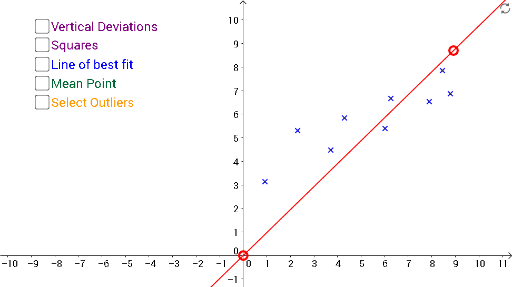
This example uses GeoGebra to help students explore regression models, involving concepts like linear regression and slope calculation. Using commands like Line, Sequence, and FitLineY, students can visually understand the construction of regression models. Suitable for high school math education and learning.
GeoGebra Commands & Parameters
Line(K, L) → kSequence((If[Element[matrix1, 3, i] ≟ 0, Element[matrix1, 1, i]], If[Element[matrix1, 3, i] ≟ 0, Element[matrix1, 2, i]]), i, 1, 9) → list1Sequence((If[Element[matrix1, 3, i] ≟ 1, Element[matrix1, 1, i]], If[Element[matrix1, 3, i] ≟ 1, Element[matrix1, 2, i]]), i, 1, 9) → list2RemoveUndefined(list1) → list3RemoveUndefined(list2) → list4FitLineY(list3) → lSlope(k) → pSequence((Element[x(list3), i], (p * Element[x(list3), i]) + o), i, 1, Length[list3]) → list5Sequence(Segment[Element[list3, i], Element[list5, i]], i, 1, Length[list3]) → list6Sum(list6) → rSequence(y(Element[list3, i]) - y(Element[list5, i]), i, 1, Length[list2]) → list8Sequence((x(Element[list5, i]) - Element[list8, i], y(Element[list5, i])), i, 1, Length[list5]) → list9Sequence((x(Element[list9, i]), y(Element[list3, i])), i, 1, Length[list3]) → list10Sequence(Polygon[Element[list3, i], Element[list5, i], Element[list9, i], Element[list10, i]], i, 1, Length[list3]) → list11