
Exploring Rectangular Prisms
Loading the math board and drawing, please wait…
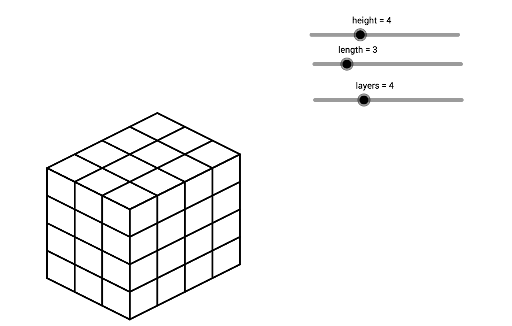
This example demonstrates how to dynamically visualize 3D rectangular prisms by adjusting parameters like height, length, and layers. Core math concepts include solid geometry, parametric modeling, and derivative applications. It utilizes GeoGebra commands/objects like Sequence and elements height, length, layers, list1-list6. Ideal for high school students, math enthusiasts, and calculus introductory lessons to understand 3D shape construction and parametric changes.
GeoGebra Commands & Parameters
Sequence(Segment[(n, height - n / 2), (n, ((-n)) / 2)], n, 0, length) → list1Sequence(Segment[(n + length, ((-length)) / 2 + n / 2), (n + length, ((-length)) / 2 + n / 2 + height)], n, 0, layers) → list2Sequence(Segment[(0, height - n), (length, ((-length)) / 2 - n + height)], n, 0, height) → list3Sequence(Segment[(length, ((-length)) / 2 + n), (length + layers, ((-length)) / 2 + n + layers / 2)], n, 0, height) → list4Sequence(Segment[(n, ((-n)) / 2 + height), (n + layers, layers / 2 - n / 2 + height)], n, 0, length) → list5Sequence(Segment[(n, height + n / 2), (n + length, height + n / 2 - length / 2)], n, 0, layers) → list6