
Exploring Rectangular Prism Construction with GeoGebra
Loading the math board and drawing, please wait…
In collections
Area, Surface Area, Volume--Nets
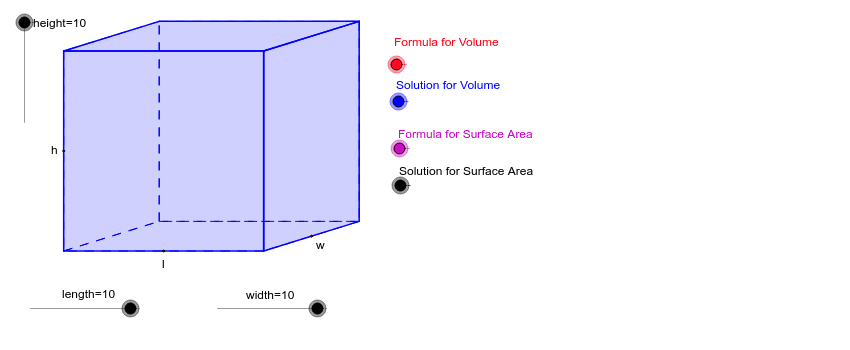
This example presents an interactive 3D rectangular prism that can be manipulated by adjusting parameters such as height, length, and width, allowing users to explore its geometric properties dynamically. Core mathematical concepts covered include the relationships among vertices, edges, and faces of a rectangular prism, vector representation of spatial positions, and transformations like translation and dilation. The construction leverages GeoGebra commands—Dilate, Vector, Translate, Polygon, Midpoint, Intersect, and If—combined with objects like height, length, width, and various points to build the solid. It is designed for high‑school and early university students studying solid geometry, vector operations, and dynamic geometry, and is ideal for classroom demonstrations, homework assignments, and independent inquiry.
GeoGebra Commands & Parameters
Dilate(F, height, E) → GVector(E, G) → uDilate(I, length, H) → LVector(H, L) → vCircle(J, width) → gLine(J, K) → hIntersect(g, h, 1) → MVector(J, M) → wTranslate(A, v) → BCircle(J, 1) → dTranslate(A, Vector[w / 2]) → CTranslate(C, v) → DPolygon(A, C, D, B) → P, a, c, d_1, bTranslate(A, u) → A'Translate(C, u) → C'Translate(D, u) → D'Translate(B, u) → B'Polygon(A', C', D', B') → P', a', c', d', b'Polygon(A', A, C, C') → Q, a'_1, a_1, c_1, c'_1Polygon(C', D', D, C) → R, c'_2, d'_1, d_2, c_2Polygon(A', A, B, B') → S_1, a'_2, a_2, b_1, b'_1Polygon(B', D', D, B) → T, b'_2, d'_2, d_3, b_2Midpoint(A', A) → NMidpoint(B, A) → OMidpoint(D, B) → UIf(VolumeFormula ≟ 1, V_1) → YIf(SurfaceAreaFormula ≟ 1, W) → ZIf(SurfaceAreaFormula ≟ 1, C_1) → D_1If(VolumeSolution ≟ 1, A_1) → SIf(SurfaceAreaSolution ≟ 1, C_1) → B_1