
Exploring Properties of Similar Triangles
Loading the math board and drawing, please wait…
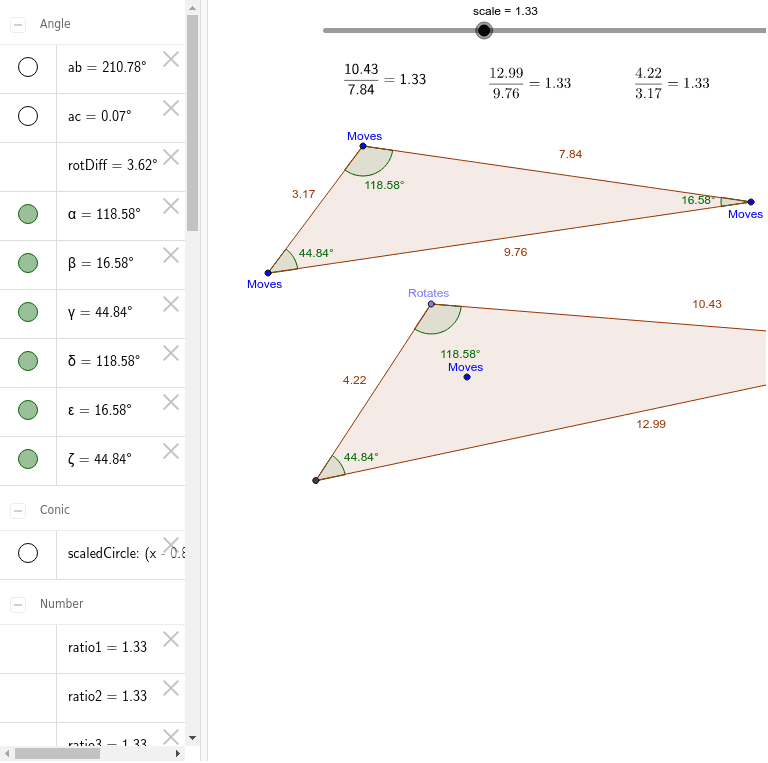
This example demonstrates the properties of similar triangles, allowing users to interactively observe and understand their characteristics. Key math concepts involved include theorems for triangle similarity, corresponding side-angle relationships, and ratio calculations. The construction utilizes GeoGebra commands like Center, Segment, Circle, Polygon, Angle, and If, along with objects such as vecHorizontal, C, B, A, etc. It is suitable for middle school and above students to grasp geometric principles, develop spatial reasoning, and enhance problem-solving skills.
GeoGebra Commands & Parameters
Center(Incircle[A, B, C]) → inCenterSegment(inCenter, C) → gSegment(inCenter, A) → dCircle(H, (scale * d)) → scaledCirclePoint(scaledCircle) → DSegment(inCenter, B) → fPolygon(C, A, B) → poly1, b, c, aAngle(vecHorizontal, vecB) → abAngle(vecHorizontal, vecC) → acPolygon(D, I, J) → poly3, j, d_1, iSegment(H, D) → eIf(Angle[B, A, C] < π, Angle[B, A, C], Angle[C, A, B]) → αIf(Angle[A, C, B] < π, Angle[A, C, B], Angle[B, C, A]) → βIf(Angle[C, B, A] < π, Angle[C, B, A], Angle[A, B, C]) → γIf(Angle[J, I, D] < π, Angle[J, I, D], Angle[D, I, J]) → ζIf(Angle[I, D, J] < π, Angle[I, D, J], Angle[J, D, I]) → δIf(Angle[D, J, I] < π, Angle[D, J, I], Angle[I, J, D]) → ε
AI Drawing Prompt Reference
Draw a triangle and find its incenter. From the incenter, draw line segments to each vertex. Then, draw a circle with one of the line segments as the radius. The intersection points of the circle with the line segments form a new triangle. Label the original and new vertices, and calculate the angles of both triangles to demonstrate the properties of similar triangles.
The prompt above was compiled from the original drawing commands and is for reference only.