
Exploring Properties of Rectangles, Rhombuses, and Squares
Loading the math board and drawing, please wait…
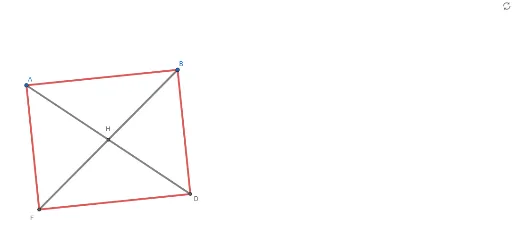
This example demonstrates the geometric properties of rectangles, rhombuses, and squares by locking quadrilateral types for student experimentation. Core concepts include quadrilateral classification, side lengths, angles, perimeter, and diagonal properties. Construction involves commands like Line, OrthogonalLine, Circle, Intersect, and Segment in GeoGebra. Suitable for middle school and above for geometric exploration and property learning.
GeoGebra Commands & Parameters
Line(A, B) → fOrthogonalLine(B, f) → gCircle(B, C) → cIntersect(c, g) → D, ESegment(D, B) → hSegment(B, A) → iOrthogonalLine(D, g) → jCircle(A, Radius[c]) → dIntersect(d, j) → F, GSegment(D, F) → kSegment(F, A) → lSegment(A, D) → mSegment(B, F) → nIntersect(n, m) → H
AI Drawing Prompt Reference
Draw a rectangle, then use one vertex and a side to create a circle, find intersections with a perpendicular line to the side, and connect the points to form a rhombus and a square, demonstrating their side lengths, angles, perimeters, and diagonal properties through construction to explore quadrilateral classification and geometric concepts.
The prompt above was compiled from the original drawing commands and is for reference only.