
Exploring Plane Dilations
Loading the math board and drawing, please wait…
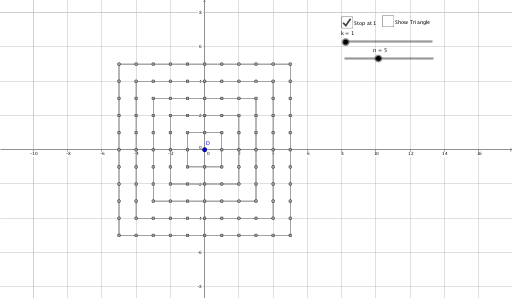
This example demonstrates the effects of plane dilations by dynamically adjusting the center and scale factor to observe changes in the size of shapes. It involves core mathematical concepts such as dilation transformations, similar figures, and coordinate geometry. Construction highlights include the use of GeoGebra commands/objects like Sequence, Polygon, Dilate, and Segment; suitable for high school students learning geometric transformations and analytical geometry.
GeoGebra Commands & Parameters
Sequence(Sequence[(a, b), b, 1, n], a, 1, n) → list1Sequence(Sequence[Dilate[(a, b), k], b, 1, n], a, 1, n) → list2Sequence(Sequence[Dilate[(a, b), k, D], b, (-n), n], a, (-n), n) → list3Sequence(Sequence[Polygon[(x(D) + (k * a), y(D) + (k * a)), (x(D) + (k * a), y(D) - (k * a)), (x(D) - (k * a), y(D) - (k * a)), (x(D) - (k * a), y(D) + (k * a))], b, 1, n], a, 1, n) → list4Sequence(Sequence[Dilate[(x(D) + a, y(D) + b), k, D], b, (-n), n], a, (-n), n) → list5Polygon(A, B, C) → poly1, c, a, bDilate(A, k, D) → A'Dilate(B, k, D) → B'Dilate(C, k, D) → C'Polygon(A', B', C') → poly1', c', a', b'Segment((x(D), y(D)), A') → fSegment((x(D), y(D)), B') → gSegment((x(D), y(D)), C') → h