
Exploring Lines of Symmetry: Geometric Construction and Mirror Transformation
Loading the math board and drawing, please wait…
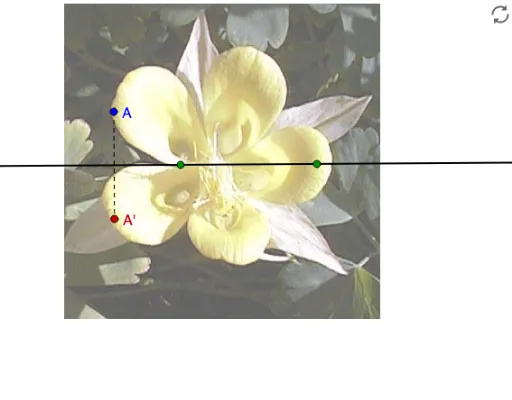
① This GeoGebra example dynamically demonstrates the construction of a line of symmetry (mirror line) for geometric figures, visually showing how symmetric shapes are generated through reflection. ② Core mathematical concepts include axial symmetry, mirror transformation, relationships between symmetric points and segments, and the distribution of geometric elements such as incircles and ellipses under symmetry. ③ Construction highlights: the Line command creates the symmetry axis, the Mirror command reflects points A, B, C and segment a to produce corresponding points A' and segment b, while the Segment command connects relevant points; an image pic1 is inserted for visual aid. The construction involves objects A, B, C, a, A', b, and pic1, illustrating a step-by-step build from basic elements to composite figures. ④ Suitable for middle and high school students learning geometric transformations and symmetry properties, and for teachers demonstrating the fundamental role of symmetry axes in plane geometry, helping to understand the relationship between symmetry and congruence.
GeoGebra Commands & Parameters
Line(B, C) → aMirror(A, a) → A'Segment(A, A') → b
AI Drawing Prompt Reference
Draw a straight line to serve as an axis of symmetry, pick a point off the line, reflect that point across the line to obtain its mirror image, then connect the original point and its mirror with a segment; this construction illustrates the basic steps of an axial symmetry transformation, and an auxiliary image may be added for clarity.
The prompt above was compiled from the original drawing commands and is for reference only.