
Exploring Graphs of Derivatives
Loading the math board and drawing, please wait…
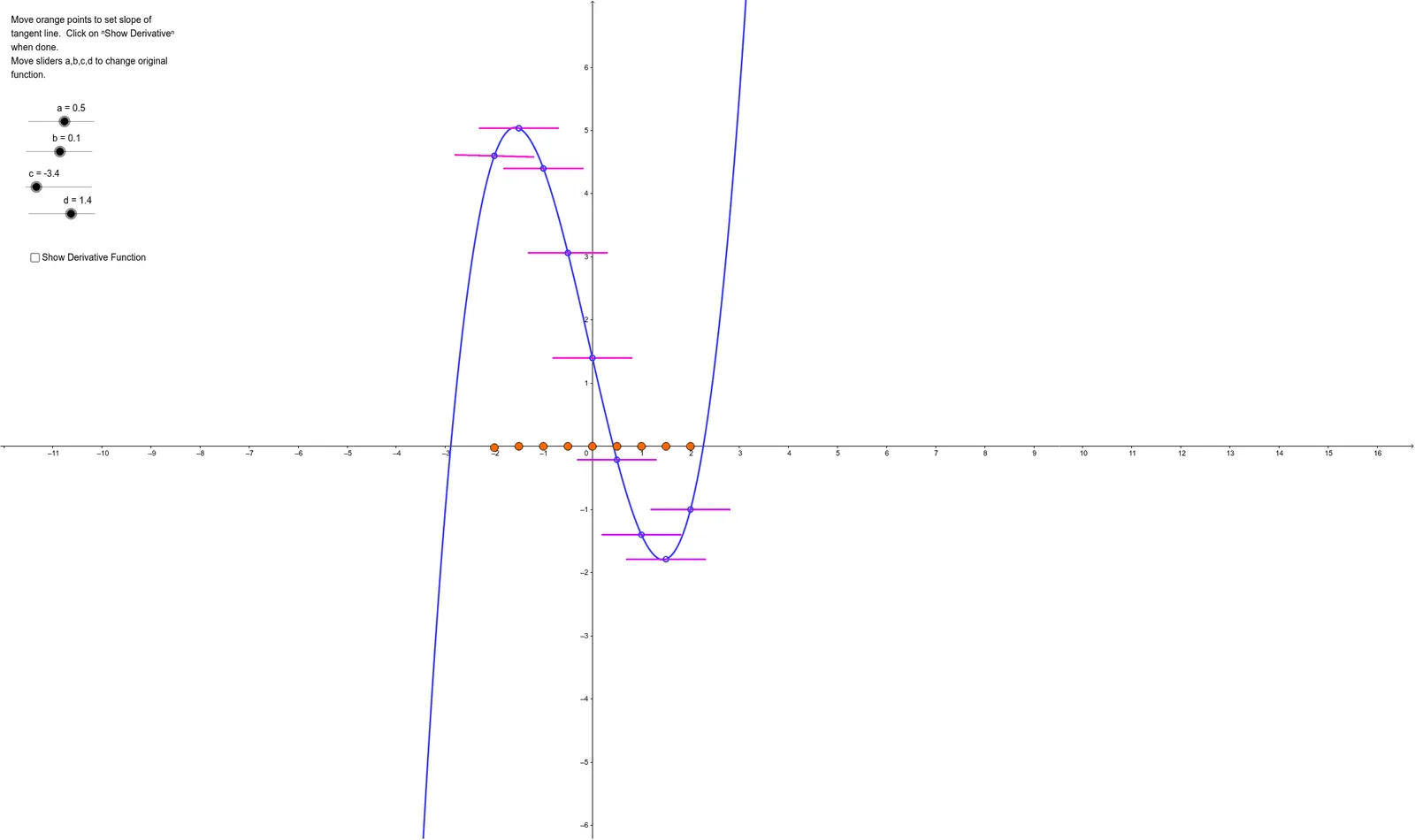
This example dynamically illustrates the concept of derivatives. It involves the core mathematical concept of derivatives, using the Derivative command in GeoGebra to observe the relationship between a function and its derivative. Key construction points include using the Derivative command to create the derivative function, and employing Point and Segment commands to create dynamic points and segments. Suitable for high school math education and students learning about derivatives.
GeoGebra Commands & Parameters
Point(e) → ACircle(B, 0.8) → kIntersect(j, k, 1) → CIntersect(j, k, 2) → DSegment(C, D) → lDerivative(f) → f'Point(h) → ECircle(F, 0.8) → qIntersect(p, q, 1) → GIntersect(p, q, 2) → HSegment(G, H) → nPoint(g) → ICircle(J, 0.8) → sIntersect(r, s, 1) → MIntersect(r, s, 2) → NSegment(M, N) → tPoint(i) → KCircle(L, 0.8) → c_1Intersect(f_1, c_1, 1) → OIntersect(f_1, c_1, 2) → PSegment(O, P) → a_1Point(b_1) → QCircle(R, 0.8) → k_1Intersect(p_1, k_1, 1) → SIntersect(p_1, k_1, 2) → TSegment(S, T) → i_1Point(d_1) → UCircle(V, 0.8) → r_1Intersect(q_1, r_1, 2) → WIntersect(q_1, r_1, 1) → ZSegment(Z, W) → j_1Point(e_1) → A_1Circle(B_1, 0.8) → t_1Intersect(s_1, t_1, 2) → C_1Intersect(s_1, t_1, 1) → D_1Segment(D_1, C_1) → l_1Point(g_1) → E_1Circle(F_1, 0.8) → c_2Intersect(f_2, c_2, 1) → G_1Intersect(f_2, c_2, 2) → H_1Segment(G_1, H_1) → m_1Point(h_1) → I_1Circle(J_1, 0.8) → d_2Intersect(g_2, d_2, 1) → K_1Intersect(g_2, d_2, 2) → L_1Segment(K_1, L_1) → n_1