
Exploring Fraction Comparison
Loading the math board and drawing, please wait…
In collections
Fractions الكسور
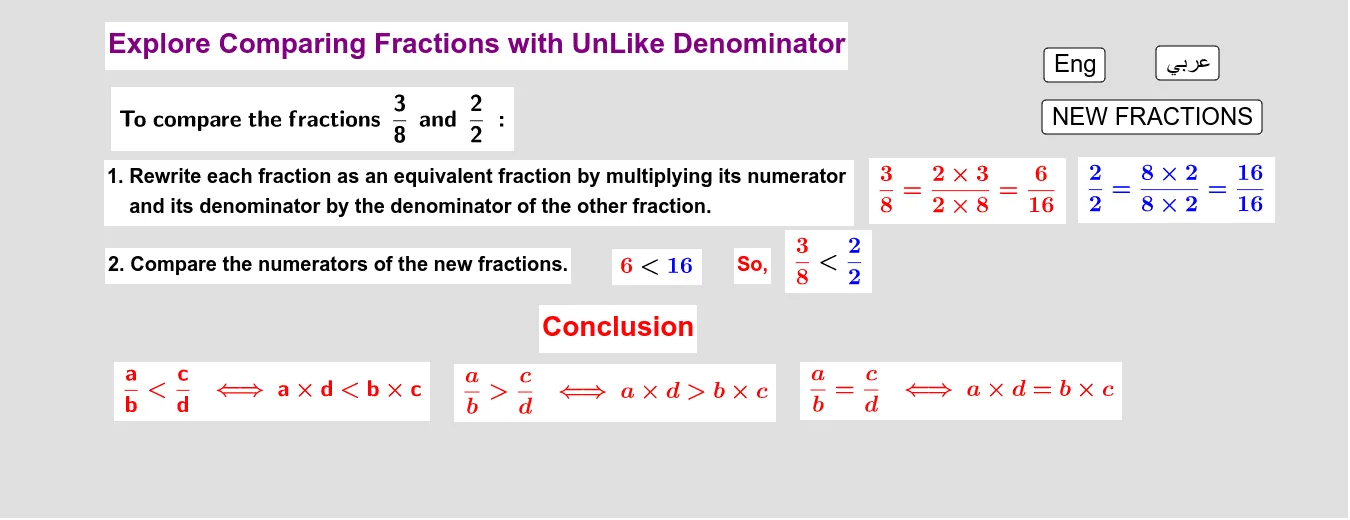
This example demonstrates how to compare fractions with unlike denominators using GeoGebra. It involves core math concepts like fraction comparison, common denominators, and visualization. Constructed with commands Random, Vector, If and objects like b, d, c, a. Suitable for middle school mathematics teaching on fraction comparison.
GeoGebra Commands & Parameters
Random(2, 10) → bRandom(2, 10) → dRandom(1, d) → cRandom(1, b) → aVector((0, 2)) → jIf((a * d) < (b * c), "<", If[(a * d) > (b * c), ">", "="]) → comp
AI Drawing Prompt Reference
Create a geometric construction to compare two fractions. Generate two random numbers as denominators and two smaller random numbers as numerators. Represent the fractions as vectors starting at the origin and ending on the y-axis. Connect the vectors with a less than, greater than, or equal sign based on the comparison of their products to visualize the result.
The prompt above was compiled from the original drawing commands and is for reference only.