
Exploring Ellipse Shapes
Loading the math board and drawing, please wait…
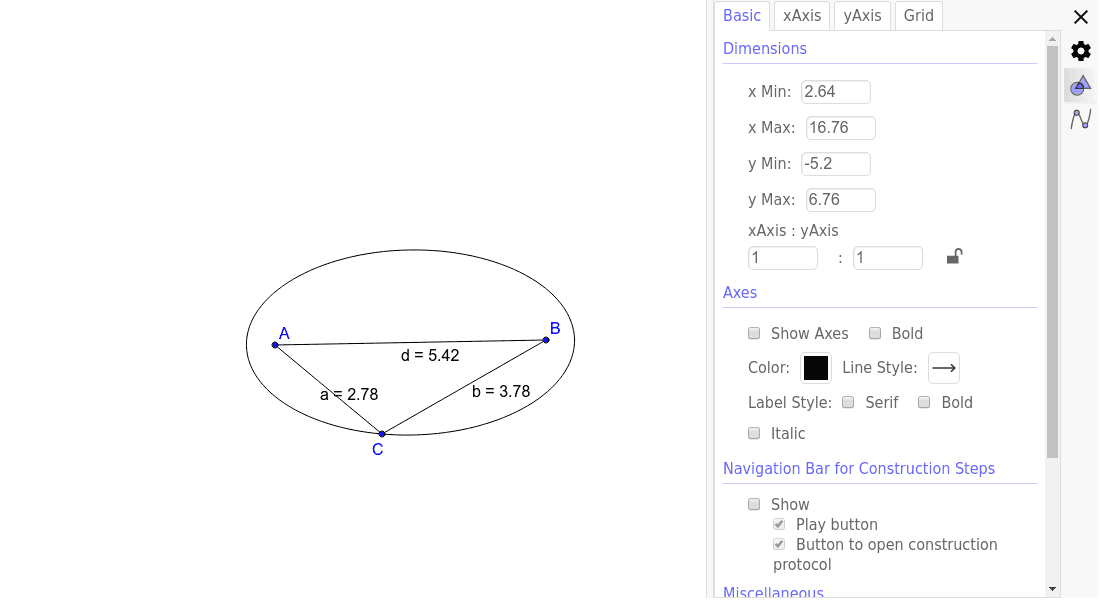
This example demonstrates how the shape of an ellipse changes by dragging its focal points and/or points on the ellipse, exploring key mathematical concepts like the definition of an ellipse, foci, major axis, minor axis, and eccentricity. It uses GeoGebra commands like Ellipse and Segment with objects A, B, C, c, a, b, d. Ideal for high school students to understand the geometric properties and parameter variations of ellipses.
GeoGebra Commands & Parameters
Ellipse(A, B, C) → cSegment(A, C) → aSegment(C, B) → bSegment(A, B) → d
AI Drawing Prompt Reference
Draw an ellipse and change its shape by dragging the foci A and B and a point C on the ellipse. First, draw the foci A and B, then draw the ellipse c through points A, B, and C. Next, draw the major axis a and minor axis b of the ellipse, and finally draw the distance d between the foci.
The prompt above was compiled from the original drawing commands and is for reference only.