
Exploring Dilations by Lee Pedinoff
Loading the math board and drawing, please wait…
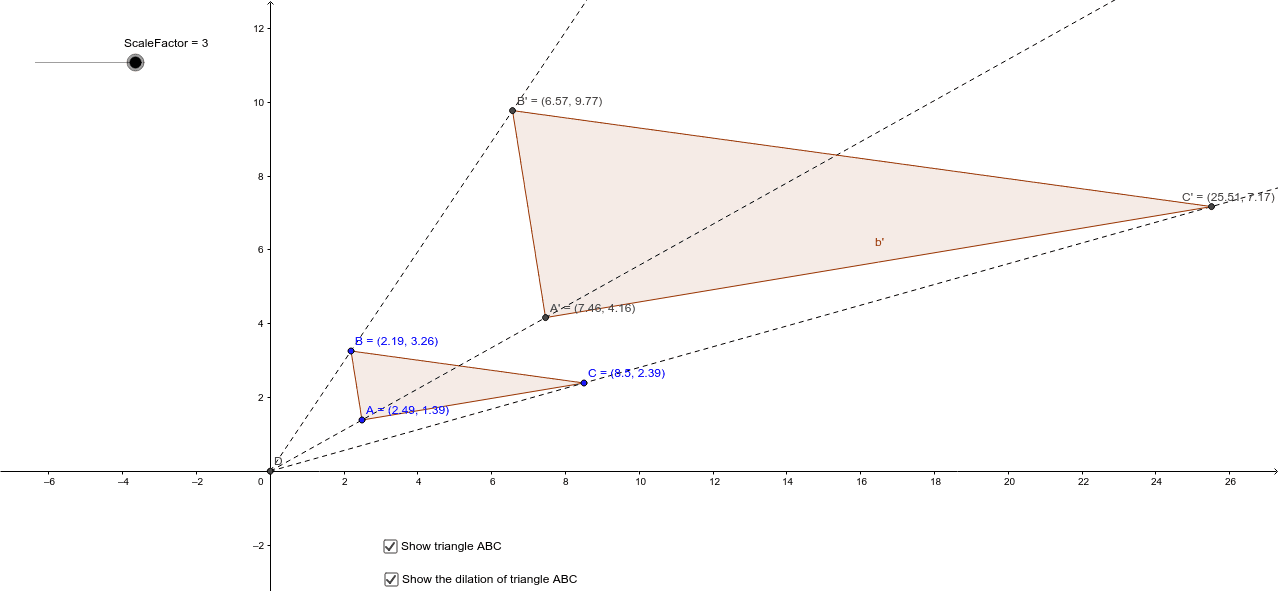
This example demonstrates the concept of dilation. By adjusting the scale factor, observe how the shape remains unchanged while the size changes. Key mathematical concepts include dilation, curve sketching, quadratic functions, percentages, sequences, and series. The construction uses commands like Polygon, Intersect, and Ray in GeoGebra. Suitable for high school mathematics education and learning.
GeoGebra Commands & Parameters
Polygon(A, B, C) → poly1, c, a, bIntersect(xAxis, yAxis) → DRay(D, B) → dRay(D, A) → eRay(D, C) → fPolygon(A', B', C') → poly2, c', a', b'
AI Drawing Prompt Reference
Draw a triangle and extend rays from each vertex of the triangle. Locate new points on these rays corresponding to the vertices of the original triangle, then connect these new points to form a second triangle, illustrating the dilation transformation from the first to the second triangle.
The prompt above was compiled from the original drawing commands and is for reference only.