
Exploring Base & Height in Triangles and Related Parallelograms
Loading the math board and drawing, please wait…
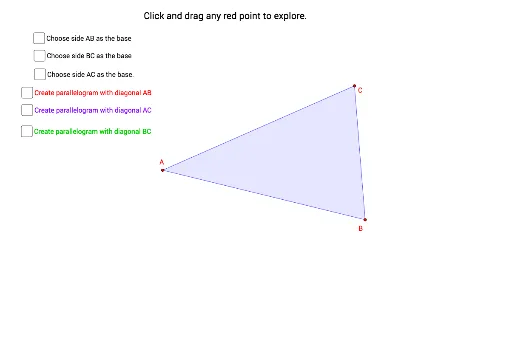
This example demonstrates how to explore the base and height relationships between triangles and related parallelograms using GeoGebra. Core mathematical concepts include parallelograms, triangles, centroids, limits, and statistics. Construction highlights involve commands and objects like Polygon, Point, Midpoint, Rotate, OrthogonalLine, Line, Intersect, Segment, and Angle. Suitable for high school mathematics students and teachers for geometric construction and concept understanding.
GeoGebra Commands & Parameters
Polygon(A, B, C) → t1, c, a, bPoint(c) → MPoint(b) → LPoint(a) → GMidpoint(c) → EMidpoint(a) → FRotate(A, 180°, E) → A'_1Rotate(B, 180°, E) → B'_1Rotate(C, 180°, E) → C'Polygon(A'_1, B'_1, C') → t1'_1, c'_1, a'_1, b'_1Rotate(A, 180°, F) → A'Rotate(B, 180°, F) → B'_2Rotate(C, 180°, F) → C'_2Polygon(A', B'_2, C'_2) → t1'_2, c'_2, a'_2, b'_2OrthogonalLine(M, c) → hLine(A', B) → lLine(C', A) → mOrthogonalLine(L, b) → iIntersect(i, l) → IOrthogonalLine(G, a) → fIntersect(f, a) → JIntersect(f, m) → KSegment(K, G) → height_2Segment(L, I) → height_3Segment(A, C) → base_3Segment(A, B) → base_1Segment(B, C) → base_2Angle(I, L, C) → αAngle(K, G, B) → γMidpoint(b) → DRotate(A, 180°, D) → A'_2Rotate(B, 180°, D) → B'Rotate(C, 180°, D) → C'_1Polygon(A'_2, B', C'_1) → t1', c'_3, a'_3, b'_3Line(C, B') → jOrthogonalLine(M, c) → kIntersect(k, j) → HSegment(M, H) → height_1Angle(H, M, A) → β