
Exploring Area and Perimeter
Loading the math board and drawing, please wait…
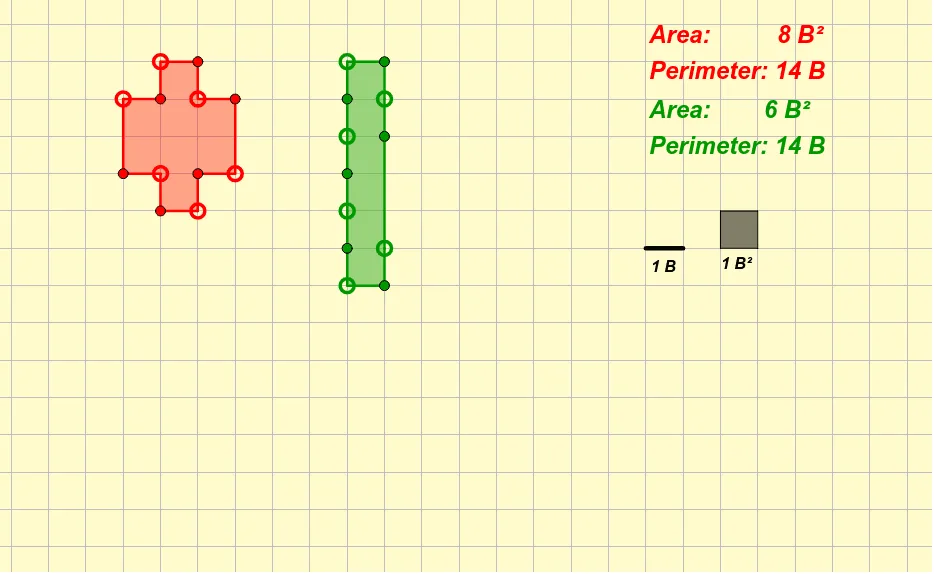
This example uses dynamic geometry to illustrate the concepts of area and perimeter. It involves key mathematical concepts such as the calculation of the area and perimeter of geometric shapes. Using GeoGebra commands like Polygon and Segment, users can visually observe and understand these concepts. Suitable for middle school and above students and teachers.
GeoGebra Commands & Parameters
Polygon(A, B, K, L, C, D, E, F, G, H, I, J) → poly1, a, j, k, l, b, c, d, e, f, g, h, iPolygon(M, N, W, Z, O, P, Q, R, S, T, U, V) → poly2, m, v, w, z_1, n, o, p, q, r, s, t, uSegment(A_1, B_1) → a_1Polygon(C_1, D_1, E_1, F_1) → poly3, c_1, d_1, e_1, f_1
AI Drawing Prompt Reference
Draw a polygon with a rectangle and two trapezoids. First, draw a rectangle, then draw two trapezoids, with one trapezoid connected to one side of the rectangle.
The prompt above was compiled from the original drawing commands and is for reference only.