
Exploring Angles in Polygons
Loading the math board and drawing, please wait…
In collections
Angles in polygons
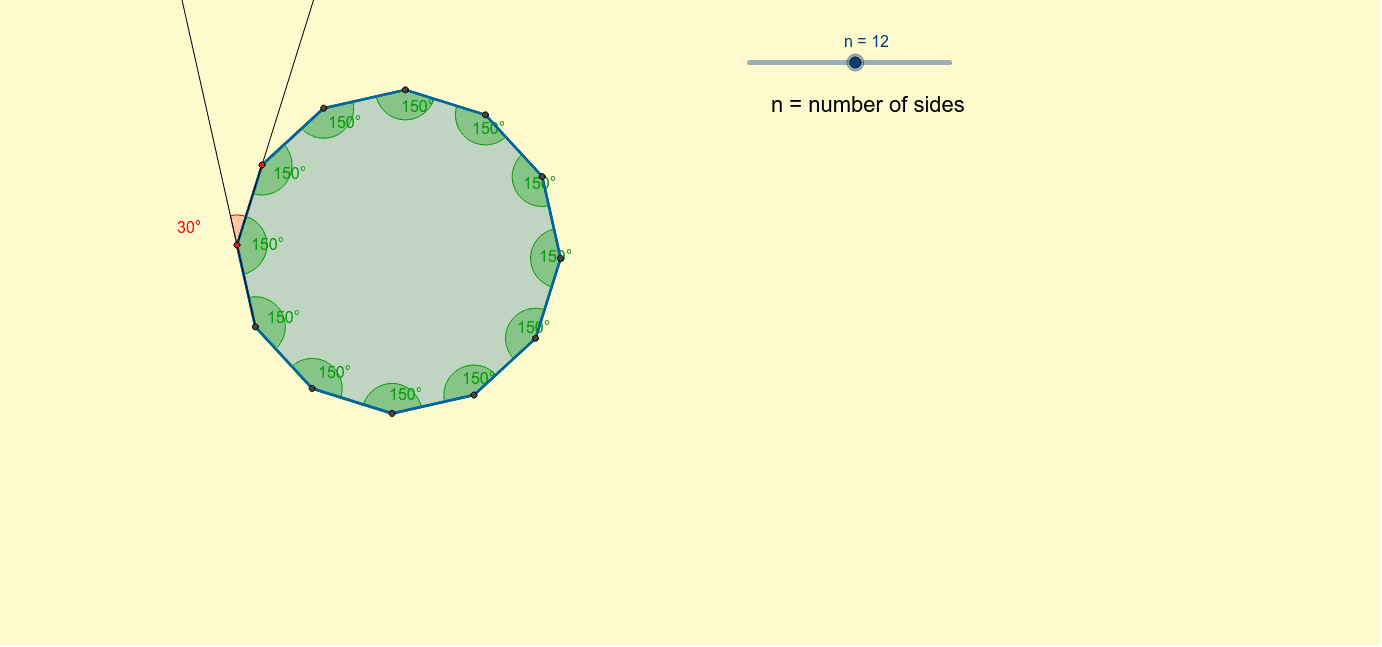
This visual tool demonstrates how to view the interior angles of regular polygons and how they change as the number of sides varies. It can be used to investigate the sum of interior angles and key polygon properties. The construction utilizes commands like Polygon, Angle, and Ray. Ideal for middle school and high school students to enhance geometric understanding and visualization skills.
GeoGebra Commands & Parameters
Polygon(A, B, n) → poly1, a, j, k, l, m, p, q, r, s, t, a_1, b, b_1, C, D, E, F, G, H, I, J, K, c, L, M, N, O, P, Q, R, S, T, d, e, f, g, h, iAngle(poly1) → α, β, λ, μ, ν, ξ, ο, ρ, σ, τ, υ, ϕ, γ, δ, ε, ζ, η, θ, ι, κRay(C, B) → c_1Ray(B, A) → d_1Angle(d_1, c_1) → ψ
AI Drawing Prompt Reference
Draw a regular polygon, such as a hexagon. Show its interior angles and how they change as the number of sides increases. Ensure the drawing is clear with key points like vertices, center, and interior angles. Construction order: first draw the regular polygon, then add interior angle markers, and finally show the trend of changes.
The prompt above was compiled from the original drawing commands and is for reference only.