
Explore Vectors
Loading the math board and drawing, please wait…
In collections
MTH-5173-2-St. Lawrence Seaway
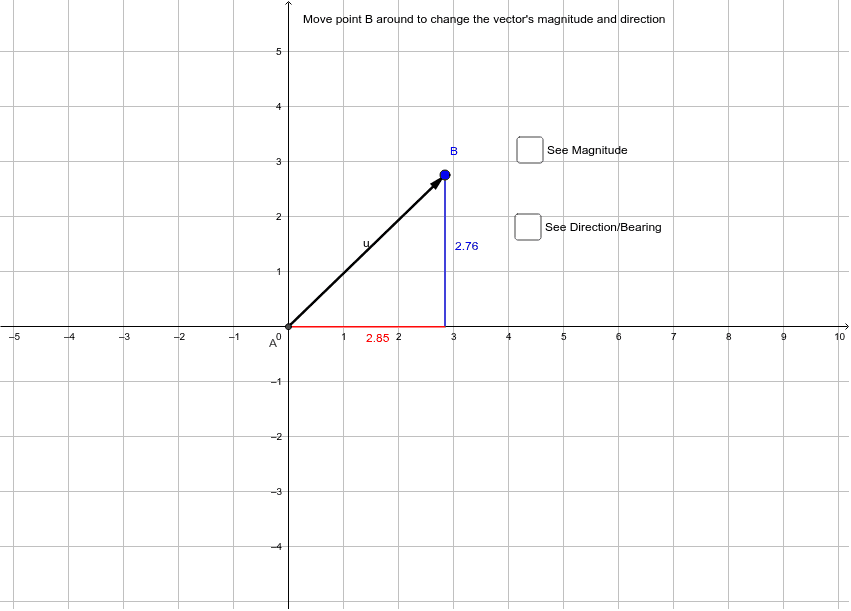
This example demonstrates the basic concepts and operations of vectors, including vector addition and subtraction, distance calculation, and orthogonal lines. It involves core mathematical concepts such as vectors, distance, and orthogonal lines. Using GeoGebra commands like Intersect, Vector, and Distance, users can intuitively understand the geometric meaning of vectors and their applications in coordinate geometry. Suitable for high school mathematics education and learning.
GeoGebra Commands & Parameters
Intersect(xAxis, yAxis) → AVector(A, B) → uDistance(B, A) → distanceBAOrthogonalLine(B, xAxis) → cIntersect(c, xAxis) → CSegment(B, C) → dSegment(A, C) → ePoint(xAxis) → DLine(A, B) → fAngle(D, A, B) → βPoint(yAxis) → EAngle(B, A, E) → γ
AI Drawing Prompt Reference
Draw a coordinate plane with x and y axes. Start from the origin and draw a vector to the right上方. Calculate the distance from the end of the vector to the origin. Draw a line through the end of the vector that is perpendicular to the x-axis. The intersection of this line with the x-axis forms a right triangle with the vector. Also, draw a line connecting the origin and the end of the vector, and label the angle between the vector and this line. Finally, take an arbitrary point on the x-axis and draw a line connecting the origin and the end of the vector. Label the angle between the vector and this line. Then take a point on the y-axis and label the angle between the vector and this point.
The prompt above was compiled from the original drawing commands and is for reference only.