
Explore Rhombus Properties
Loading the math board and drawing, please wait…
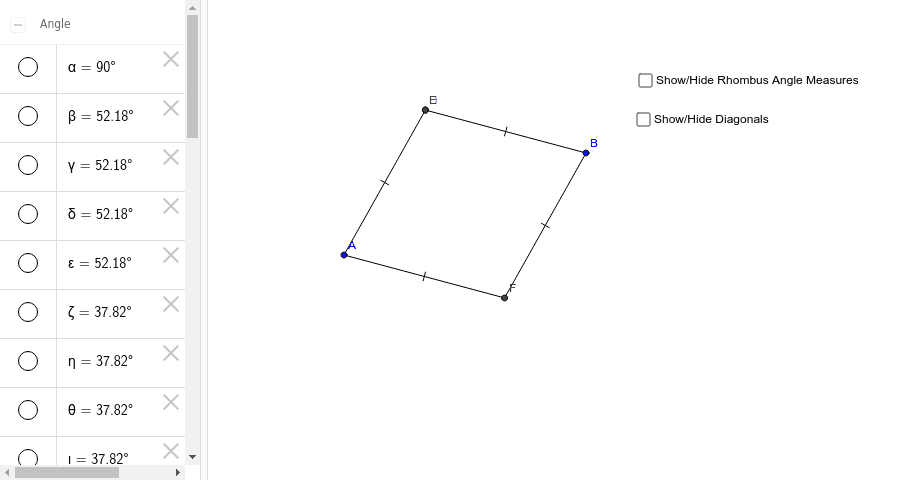
This example demonstrates the geometric properties of rhombuses through interactive exploration, showcasing sides, angles, diagonals, and transformations. Key math concepts include polygons, angles, geometric transformations, and coordinate geometry. Construction involves commands like Segment, LineBisector, Intersect, and Circle. Suitable for high school mathematics education or for enthusiasts to visually understand rhombus construction and properties.
GeoGebra Commands & Parameters
Segment(A, B) → aLineBisector(a) → bIntersect(a, b) → CPoint(b) → DCircle(A, D) → cIntersect(c, b) → E, FSegment(A, F) → dSegment(F, B) → eSegment(B, D) → fSegment(D, A) → gSegment(D, C) → hSegment(C, F) → iSegment(A, C) → jSegment(C, B) → kAngle(D, C, A) → αAngle(A, D, C) → βAngle(C, D, B) → γAngle(C, F, A) → δAngle(B, F, C) → εAngle(D, B, C) → ζAngle(C, B, F) → ηAngle(F, A, C) → θAngle(C, A, D) → ι
AI Drawing Prompt Reference
Draw a rhombus, highlighting its equal sides, diagonals, and their intersection point, while labeling all angles. Start by drawing one side, find its midpoint to draw a perpendicular bisector, and use the intersection points to determine the other two vertices. Connect the vertices to form the rhombus, label the diagonals and their intersection, and measure all interior angles to show they are equal and the diagonals bisect each other at right angles.
The prompt above was compiled from the original drawing commands and is for reference only.