
Explore Horizontal & Vertical Lines
Loading the math board and drawing, please wait…
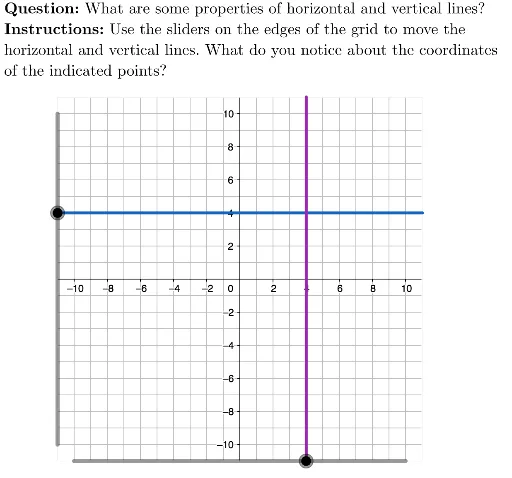
This example demonstrates how to draw and explore horizontal and vertical lines. It involves core mathematical concepts such as line equations, coordinate geometry, and vectors. Key GeoGebra commands and objects used include Polygon, Segment, LaTeX, Text, verValue, viewBox, horValue, TryAnother, Initialize, horLine, verLine, isHorizontalActive, isVerticalActive, hor1, hor2, hor3, ver1, ver2, ver3, QUESTION, INSTRUCTIONS, TEXT, offset, hor1Label, hor2Label, hor3Label, ver1Label, ver2Label, ver3Label. Suitable for high school students learning about the basic properties and equations of lines.
GeoGebra Commands & Parameters
Polygon({(-11, -11), (-11, 11), (11, 11), (11, -11)}) → viewBoxSegment((-11, horValue), (11, horValue)) → horLineSegment((verValue, -11), (verValue, 11)) → verLineLaTeX("\textbf{Question: }What are some properties of horizontal and vertical lines?") → QUESTIONLaTeX("\textbf{Instructions: }Use the sliders on the edges of the grid to move the\\horizontal and vertical lines. What do you notice about the coordinates\\of the indicated points?") → INSTRUCTIONSText(hor1, hor1 + offset, true, true) → hor1LabelText(hor2, hor2 + offset, true, true) → hor2LabelText(hor3, hor3 + offset, true, true) → hor3LabelText(ver1, ver1 + offset, true, true) → ver1LabelText(ver2, ver2 + offset, true, true) → ver2LabelText(ver3, ver3 + offset, true, true) → ver3Label