
Exploration of Circle's Circumference and Area
Loading the math board and drawing, please wait…
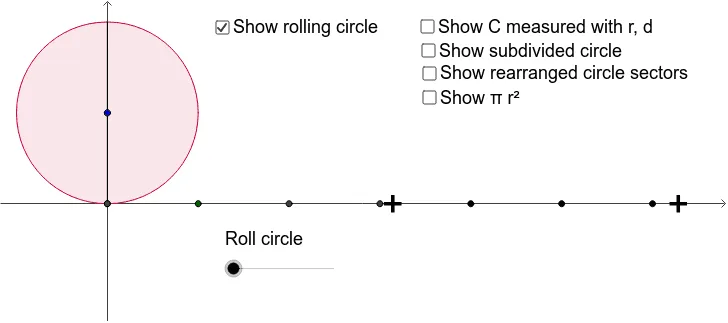
This example demonstrates how to dynamically calculate the circumference and area of a circle. It involves core mathematical concepts such as the circumference formula, area formula, π, and geometric constructions. Key GeoGebra commands and objects used include Intersect, Circle, Polygon, Dilate, CircleArc, Sequence, Rotate, Mirror, Segment, CircleSector, Midpoint, and Sector. It is suitable for middle school and above students to understand the basic properties and calculation methods of circles.
GeoGebra Commands & Parameters
Intersect(xAxis, yAxis) → ACircle(A, B) → cPolygon(A, B, 4) → poly1, a, b, d, e, C, DPolygon(C, B, 4) → poly2, c_1, b_1, f, g, E, FPolygon(F, E, 4) → poly3, f_1, e_1, h, i, G, HDilate(B, 3.141592653589793, A) → B'_1Dilate(C, 3.141592653589793, D) → C'Polygon(H, C', B'_1, G) → poly4, h_1, c', b', g_1CircleArc(B, E, A) → kDilate(B, 6.283185307179586, A) → B'_2Dilate(B, 4, A) → B'_3Dilate(B, 5, A) → B'_4Dilate(B, 6, A) → B'Sequence(Text[k + " r", K + (k, 0)], k, 0, 6) → list1Circle(M, 1) → qRotate(J, (-α), M) → J'Mirror(J', M) → J''_1Segment(J''_1, J') → jMirror(D, A) → D'_1Sequence(Segment[Rotate[D'_1, (k * 3.141592653589793 / 2^(l)) + 3.141592653589793 / 2^(l + 1), A], Rotate[D, (k * 3.141592653589793 / 2^(l)) + 3.141592653589793 / 2^(l + 1), A]], k, 0, 2^(l) - 1) → list3Rotate(D, 3.141592653589793 / 2^(l + 1), A) → D'_2Rotate(D, ((-3.141592653589793)) / 2^(l + 1), A) → D'CircleSector(A, D', D'_2) → rMidpoint(A, D') → NMirror(A, N) → A'Mirror(D', N) → D''Mirror(D'_2, N) → OSector(Mirror[Circle[A, D'], N], D'', O) → r'Sequence(Sector[Translate[Circle[A, D'], Vector[(k * v)]], Translate[D', Vector[(k * v)]], Translate[D'_2, Vector[(k * v)]]], k, 1, 2^(l) - 1) → list2Sequence(Sector[Translate[Mirror[Circle[A, D'], N], Vector[(k * v)]], Translate[D'', Vector[(k * v)]], Translate[O, Vector[(k * v)]]], k, 1, 2^(l) - 1) → list4Sequence(Text[k / 2 + " d", I + (k, 0)], k, 0, 6) → list5Sequence(Text[k / 2 + " C ", R + ((k * 3.141592653589793), 0)], k, 0, 2) → list6CircleArc(G, B'_3, E) → pCircleArc(B'_4, B', B'_3) → tCircleArc(A, B, S) → d_1Rotate(J', 1, M) → J''Rotate(J'', 1, M) → J'''Rotate(J''', 1, M) → TRotate(T, 1, M) → T'Rotate(T', 1, M) → T''_1Rotate(T''_1, 1, M) → U
AI Drawing Prompt Reference
Draw a circle and illustrate the calculation of its circumference and area. Start by plotting the coordinate axes and finding their intersection point, then draw a circle centered at this point. Divide the circle's circumference into segments using squares, and demonstrate the relationship between the circumference and diameter through similar transformations. Construct sectors using rotations and reflections, and calculate the area. The final image should include the circle, squares, sectors, and relevant measurements, clearly showing the mathematical principles.
The prompt above was compiled from the original drawing commands and is for reference only.