
Excircle and Incircle
Loading the math board and drawing, please wait…
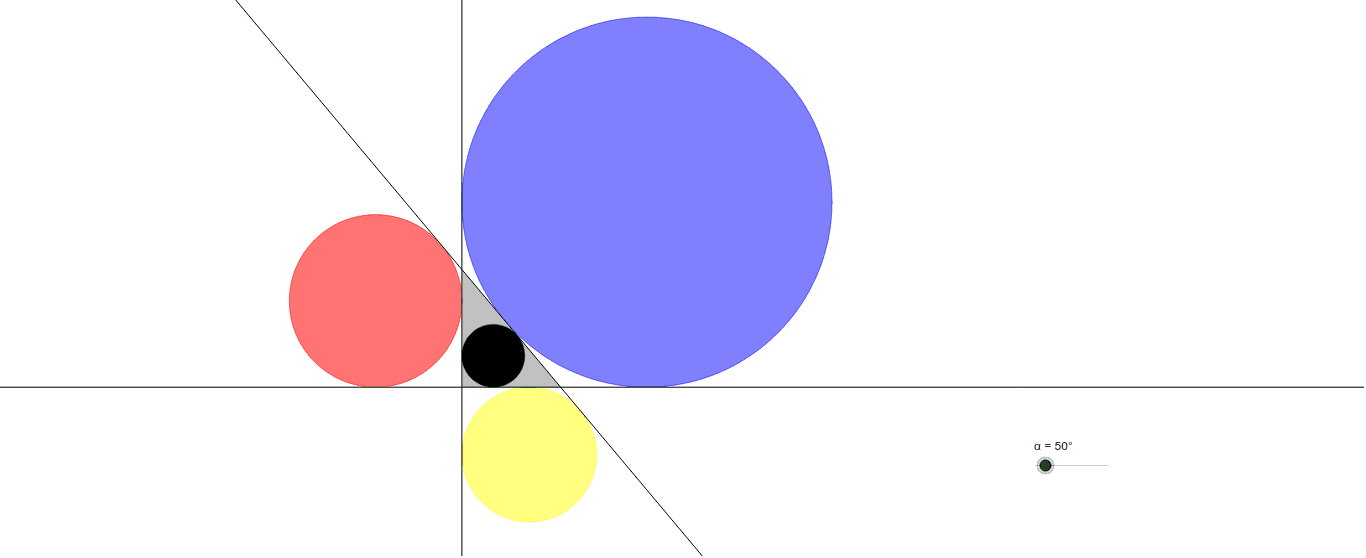
Move the slider to observe how the excircles and incircle change. This example demonstrates the concepts of excircles and incircle in a triangle, involving the properties of circles and angle bisectors. It uses commands like Line, Rotate, Angle, AngularBisector, Intersect, OrthogonalLine, Circle, and Polygon in GeoGebra. Suitable for middle school and above students to learn about triangle properties and circle concepts.
GeoGebra Commands & Parameters
Line(A, B) → aLine(A, C) → bRotate(A, (-α), C) → A'Angle(A', C, A) → βLine(C, A') → cAngularBisector(c, b) → d, eAngularBisector(a, c) → f, gAngularBisector(a, b) → h, iIntersect(a, c) → DIntersect(e, g) → EIntersect(d, g) → FIntersect(d, f) → GOrthogonalLine(E, b) → jIntersect(b, j) → HOrthogonalLine(G, b) → lIntersect(b, l) → JOrthogonalLine(F, c) → mIntersect(c, m) → KCircle(F, K) → pCircle(E, H) → kCircle(G, J) → qIntersect(e, f) → IOrthogonalLine(I, b) → nIntersect(b, n) → LCircle(I, L) → rLine(D, C) → sIntersect(b, s) → MIntersect(a, s) → NIntersect(a, b) → OPolygon(M, N, O) → poly1, o, m_1, n_1
AI Drawing Prompt Reference
Draw a triangle and display its incircle and excircles. Observe how the incircle and excircles change by moving a slider. Start by drawing the three sides of the triangle, then find the perpendicular bisectors of each side to determine the centers of the circles. Draw circles centered at the vertices and the feet of the perpendiculars to get the incircle and excircles. Finally, connect the midpoints of the triangle's sides to form a new triangle.
The prompt above was compiled from the original drawing commands and is for reference only.