
Examples of Lines, Line Segments, and Rays: Construction and Relationships
Loading the math board and drawing, please wait…
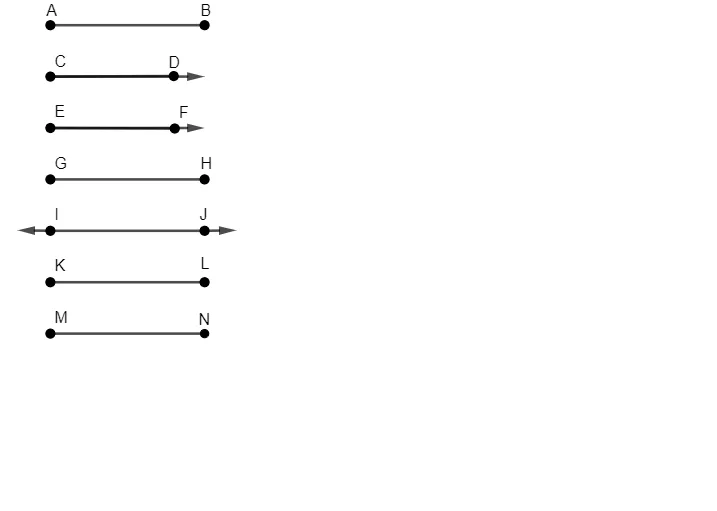
This GeoGebra example demonstrates how to construct and distinguish lines, line segments, and rays on the coordinate plane, highlighting their differences in endpoints, extent, and direction. It focuses on core geometry concepts: a line extends infinitely, a segment is bounded by two endpoints, and a ray starts at one endpoint and extends infinitely in a single direction. The construction uses GeoGebra commands related to 『Segment, Vector』: key objects such as points A, B, C, D, E, F, and others (e.g., G, H) provide endpoints, while vector objects like i, j, k, l, u, v, w serve as direction references for creating ray- and segment-like geometry. Additional labeled entities (including f, g, h and capital counterparts) help organize multiple related configurations. Suitable for middle and high school geometry lessons, and for classroom demonstrations of geometric construction techniques in GeoGebra.
GeoGebra Commands & Parameters
Segment(A, B) → fSegment(C, D) → gSegment(E, F) → hSegment(G, H) → iSegment(I, J) → jSegment(K, L) → kSegment(M, N) → lVector(C, O) → uVector(E, P) → vVector(I, Q) → wVector(J, R) → a
AI Drawing Prompt Reference
Draw a line, a line segment, and a ray on the coordinate plane. Use points A, B, C, D, E, F, G, H as endpoints to create these geometric objects. Ensure that the line, segment, and ray are clearly distinguished, highlighting their differences in endpoints, length, and direction.
The prompt above was compiled from the original drawing commands and is for reference only.