
Example of System of Two Equations
Loading the math board and drawing, please wait…
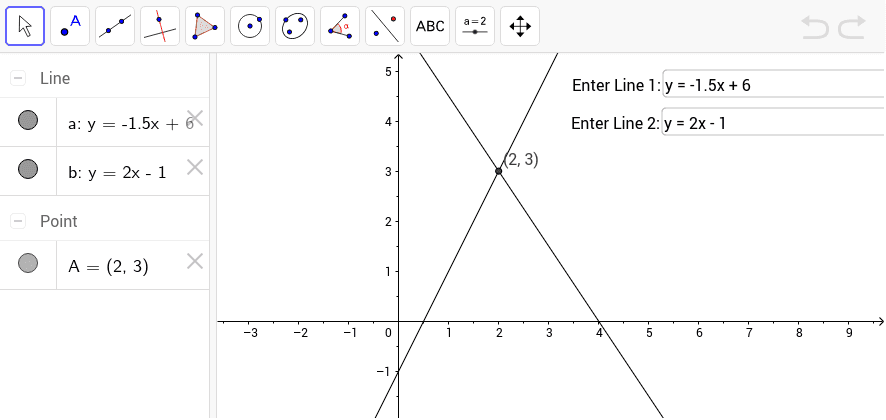
This example demonstrates how to use GeoGebra to graph the intersection of two linear equations. The key mathematical concepts include linear equations and coordinate geometry. By inputting two linear equations, the intersection point A can be found. The GeoGebra commands mentioned in the construction summary include Textfield and Intersect. Suitable for students at the junior high school level and above to learn about systems of linear equations.
GeoGebra Commands & Parameters
Textfield(a) → inputBox1Textfield(b) → inputBox2Intersect(a, b) → A
AI Drawing Prompt Reference
Draw two lines and mark their intersection point, while also displaying text boxes for inputting the equations of these lines to observe how the intersection point moves as the equations change, demonstrating the geometric meaning of the solution to a system of linear equations in the coordinate system.
The prompt above was compiled from the original drawing commands and is for reference only.