
Example 2: Constructing a Cylinder Surface with a Piecewise Function and Demonst
Loading the math board and drawing, please wait…
In collections
CCSS IP Math I Unit 4 Lesson 2
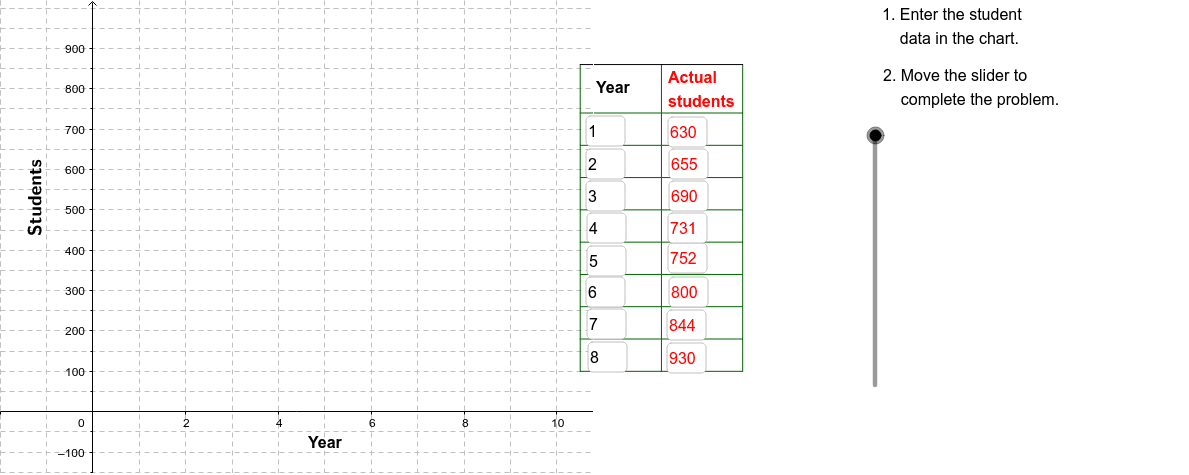
①This example demonstrates how to construct a cylinder surface defined by a piecewise function using GeoGebra and illustrates volume approximation via upper and lower Riemann sums.
②Key mathematical concepts include piecewise functions, cylindrical surfaces, the idea of upper and lower Riemann sums, and the calculus principle of approximating continuous quantities with discrete sums.
③Construction highlights: using the Corner command to place vertices, Sequence to generate points, Segment to draw edges, Polygon to render the cylindrical surface, Textfield and Slider for parameter control, and VerticalText for labeling.
④Suitable for high‑school or first‑year university students in calculus, analytic geometry, or mathematical modeling courses covering solid geometry and integral concepts.
GeoGebra Commands & Parameters
Corner(2) → Corn2Corner(3) → Corn3Textfield(A2) → InA2Textfield(A3) → InA3Textfield(A4) → InA4Textfield(A5) → InA5Textfield(A6) → InA6Textfield(A7) → InA7Textfield(A8) → InA8Textfield(A9) → InA9Textfield(B9) → InB9Textfield(B8) → InB8Textfield(B7) → InB7Textfield(B6) → InB6Textfield(B5) → InB5Textfield(B4) → InB4Textfield(B3) → InB3Textfield(B2) → InB2Sequence(Segment[(10.5, 100 + (80 * j)), (14, 100 + (80 * j))], j, 0, 8) → LnListSequence(Segment[(14, 100 + (80 * j)), (16, 100 + (80 * j))], j, 0, 8) → LnList3Sequence(Segment[(10.5 + (1.75 * j), 100), (10.5 + (1.75 * j), 860)], j, 0, 2) → LnList2Segment((10.5, 860), (14, 860)) → Top1Segment((14, 860), (16, 860)) → Top2Segment((16, 100), (16, 860)) → Side1Polygon((0.5 * Corner[1]) + (0.5 * Corner[2]), Corner[2], Corner[3], (0.5 * Corner[3]) + (0.5 * Corner[4])) → poly1, b, c, d, eVerticalText("Students") → Students
AI Drawing Prompt Reference
Draw a cylindrical surface defined by a piecewise function and illustrate volume approximation using upper and lower Riemann sums. Include adjustable sliders and text fields to control the function parameters. The cylinder side consists of a series of parallel rectangular strips forming a grid, with top and bottom edges closed by line segments and vertical boundaries on the sides. Add a vertical label “Students” on the right.
The prompt above was compiled from the original drawing commands and is for reference only.