
Equivalent Fractions Visualization: Bar Models with Random Practice
Loading the math board and drawing, please wait…
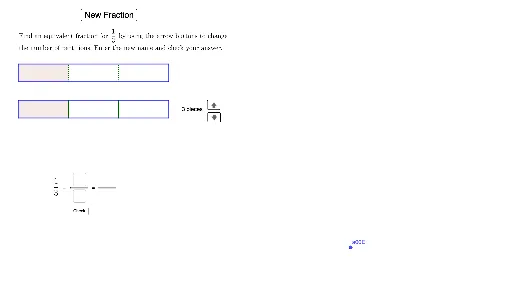
① This GeoGebra example dynamically demonstrates the concept of equivalent fractions using bar models, allowing users to generate random fractions and observe their visual equivalence. ② Core mathematical concepts include fraction equivalence (e.g., 1/2 = 2/4), simplification using greatest common divisor (GCD), and random generation of numerators and denominators. ③ Construction highlights: commands such as Random, Element, GCD, Polygon, Sequence, Textfield, and Segment are used; key objects include SeedDenominators, WhichSeedDenominator, ActualNumerator, ActualDenominator, BarFirst, BarSecond, BarThird, ShadedFirst, and ShadedSecond, enabling interactive comparison of three bars. ④ Suitable for upper elementary to middle school students learning fraction equivalence, and useful for classroom demonstrations or self-paced exploration.
GeoGebra Commands & Parameters
Random(1, Length[SeedDenominators]) → WhichSeedDenominatorElement(SeedDenominators, WhichSeedDenominator) → SeedDenominatorRandom(1, SeedDenominator - 1) → SeedNumeratorGCD(SeedNumerator, SeedDenominator) → FixItPolygon(A, A + (BarLength, 0), A + (BarLength, BarHeight), A + (0, BarHeight)) → BarFirst, a, f, g, hPolygon(B, B + (BarLength, 0), B + (BarLength, BarHeight), B + (0, BarHeight)) → BarSecond, b, i, j, kPolygon(C, C + (BarLength, 0), C + (BarLength, BarHeight), C + (0, BarHeight)) → BarThird, c, l, m, nSequence(Segment[A + ((InitialPartitionLength * i), 0), A + ((InitialPartitionLength * i), 0) + (0, BarHeight)], i, 1, ActualDenominator - 1) → InitialPartitionsFirstSequence(Segment[B + ((InitialPartitionLength * i), 0), B + ((InitialPartitionLength * i), 0) + (0, BarHeight)], i, 1, ActualDenominator - 1) → InitialPartitionsSecondSequence(Segment[C + ((InitialPartitionLength * i), 0), C + ((InitialPartitionLength * i), 0) + (0, BarHeight)], i, 1, ActualDenominator - 1) → InitialPartitionsThirdPolygon(A, A + ((InitialPartitionLength * ActualNumerator), 0), A + ((InitialPartitionLength * ActualNumerator), BarHeight), A + (0, BarHeight)) → ShadedFirst, a_1, p, q, rPolygon(B, B + ((InitialPartitionLength * ActualNumerator), 0), B + ((InitialPartitionLength * ActualNumerator), BarHeight), B + (0, BarHeight)) → ShadedSecond, b_1, s, t, dPolygon(C, C + ((InitialPartitionLength * ActualNumerator), 0), C + ((InitialPartitionLength * ActualNumerator), BarHeight), C + (0, BarHeight)) → ShadedThird, c_1, e, f_1, g_1Sequence(Segment[B + ((SecondPartitionLength * i), 0), B + ((SecondPartitionLength * i), 0) + (0, BarHeight)], i, 1, SecondPartitions - 1) → SecondPartitionLinesSequence(Segment[C + ((ThirdPartitionLength * i), 0), C + ((ThirdPartitionLength * i), 0) + (0, BarHeight)], i, 1, ThirdPartitions - 1) → ThirdPartitionLinesTextfield(InputTextNumerator2) → a04BoxNum2Textfield(InputTextDenominator2) → a05BoxDenom2Textfield(InputTextNumerator3) → a09BoxNum3Textfield(InputTextDenominator3) → a10BoxDenom3Segment(D, D + (FractionBarLength, 0)) → FractionBar1Segment(D + (FractionBarLength + FractionBarGap, 0), D + ((2 * FractionBarLength) + FractionBarGap, 0)) → FractionBar2
AI Drawing Prompt Reference
Draw three equal-length rectangular bars to represent the fractions 1/2, 2/4, and the simplified fraction. Each bar is divided into segments, with the first bar marked by segments for 1/2, the second bar for 2/4, and the third bar for the simplified fraction. Use shaded areas to indicate the value of each fraction.
The prompt above was compiled from the original drawing commands and is for reference only.