
Equivalent Fractions by The Central Maths Hub
Loading the math board and drawing, please wait…
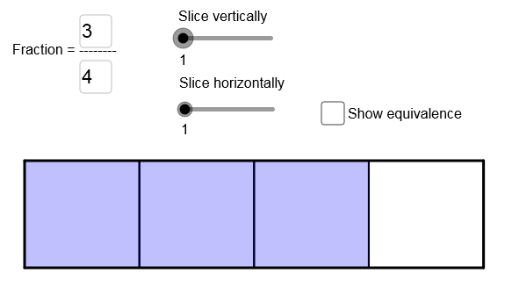
This example demonstrates the concept of equivalent fractions. By adjusting the numerator and denominator, you can observe that the fraction value remains unchanged. It uses commands like Polygon, Textfield, and Sequence in GeoGebra, suitable for upper elementary or middle school students to learn the basic properties of fractions.
GeoGebra Commands & Parameters
Polygon((0, -3), (5, -3), (5, -1), (0, -1)) → poly1, a, b, c, dTextfield(N) → inputBox1Textfield(D) → inputBox2Sequence(Polygon[(i, -3), (i + S, -3), (i + S, -1), (i, -1)], i, 0, 5 - S, S) → UnitCutSequence(Polygon[(i, -3), (i + S, -3), (i + S, -1), (i, -1)], i, 0, (S * (N - 1)), S) → TheFracSequence(Polygon[(i, -3), (i + S / vp, -3), (i + S / vp, -1), (i, -1)], i, 0, Max[(S * (N - 1 / vp)), 5 - S / vp], S / vp) → VCutSequence(Polygon[(0, i), (0, i + T), (Max[5, (S * N)], i + T), (Max[5, (S * N)], i)], i, -3, -1 - T, T) → HCut
AI Drawing Prompt Reference
Draw a rectangle and then draw 5 equal-width horizontal lines inside it, each 1 unit wide and 2 units high. Next, draw a fraction area that can be adjusted by the user, with the numerator and denominator input fields. Ensure the fraction value remains unchanged. Finally, draw vertical lines with the same width as the fraction area, the number of which is determined by the denominator.
The prompt above was compiled from the original drawing commands and is for reference only.