
Equivalent Fractions by Dave Pfaffle
Loading the math board and drawing, please wait…
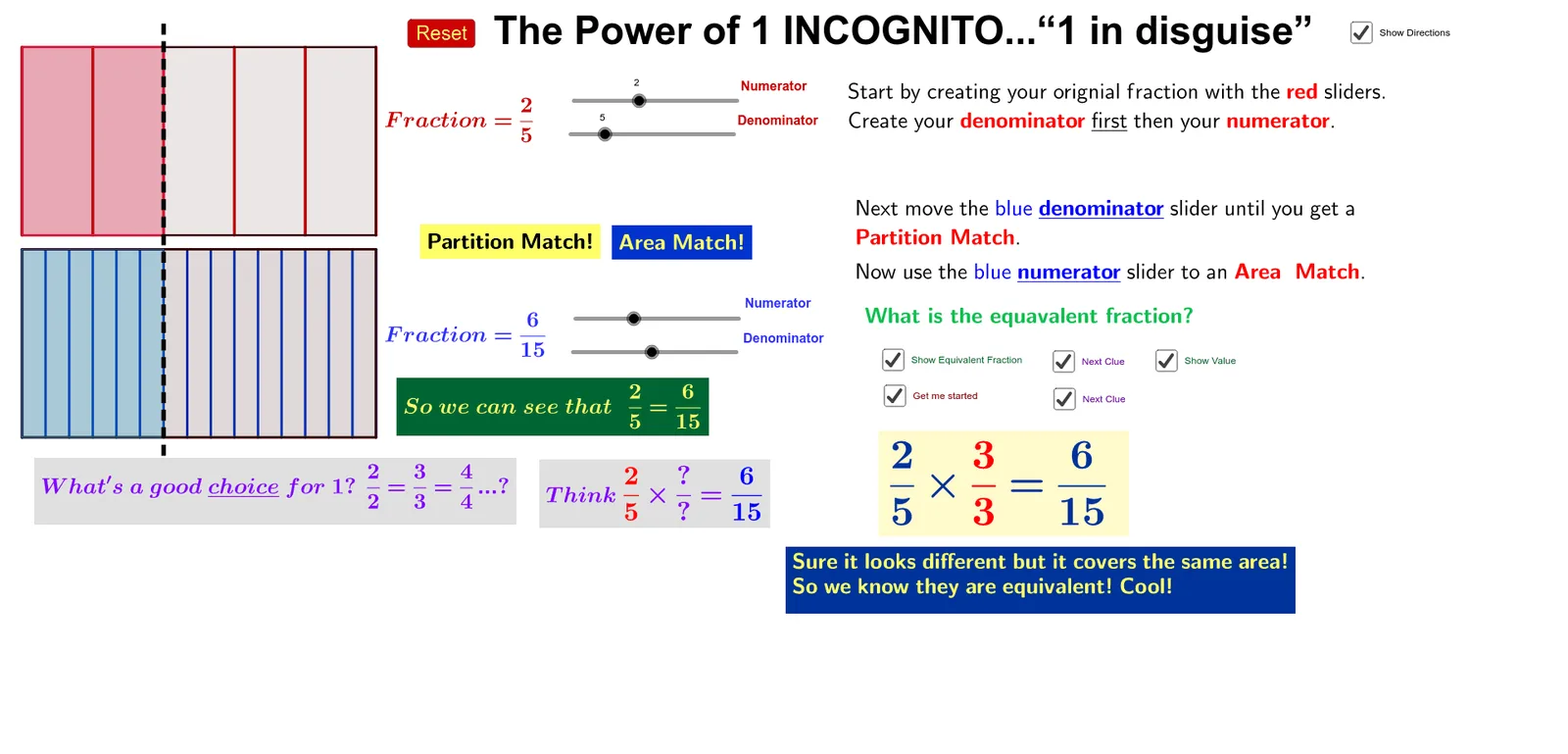
This example demonstrates visually how equivalent fractions work through geometric transformations. It involves core math concepts like fractions, similarity of shapes, and area invariance. Construction uses commands like Polygon, Point, Sequence, Element, OrthogonalLine, Segment, Mod to create and manipulate polygons dynamically, with sliders to adjust parameters and illustrate fraction equivalence. Suitable for middle school mathematics teaching to help students grasp abstract fraction concepts.
GeoGebra Commands & Parameters
Polygon(A, B, D, C) → poly1, a, b, d, cPolygon((0, 0.7), ((10 / n * k), 0.7), ((10 / n * k), 4.7), (0, 4.7)) → poly2, g, h, i, jPoint(yAxis) → EPoint(yAxis) → HPolygon(E, F, G, H) → poly3, e, f_1, g_1, h_1Sequence((0 + (10 / m * i), 5), i, 0, m) → list4Sequence(Segment[(0 + (10 / m * j), 5), (0 + (10 / m * j), 9)], j, 0, m) → list6Sequence((0 + (10 / m * j), 9), j, 0, m) → list5Sequence(Segment[list4(k), list5(k)], k, 1, m) → list7Polygon((0, 5), ((10 / m * q), 5), ((10 / m * q), 9), (0, 9)) → poly4, l, p, r, sSequence(((10 / n * j), 4.7), j, 0, n) → list2Sequence(((10 / n * i), 0.7), i, 0, n) → list1Sequence(Segment[((10 / n * k), 0.7), ((10 / n * k), 4.7)], k, 0, n) → list3Element(list4, q + 1) → IOrthogonalLine(I, y = 0) → tPoint(t) → JPoint(t) → KSegment(K, J) → i_1Mod(n, m) → c_1
AI Drawing Prompt Reference
Draw a geometric figure to demonstrate equivalent fractions. Start with a large rectangle defined by four points, then place a smaller rectangle inside it sharing the same base. On the right, draw a vertical rectangle divided into equal parts with vertical dividing lines. At the top, draw a horizontal strip also divided into equal parts with vertical lines. From a selected division point on the top strip, drop a perpendicular line down to intersect the bottom strip, creating a vertical segment. Use sliders to adjust the number of divisions, visually showing how different fractions are equivalent.
The prompt above was compiled from the original drawing commands and is for reference only.