
Equations of Circles: Constructing a Circle from a Segment
Loading the math board and drawing, please wait…
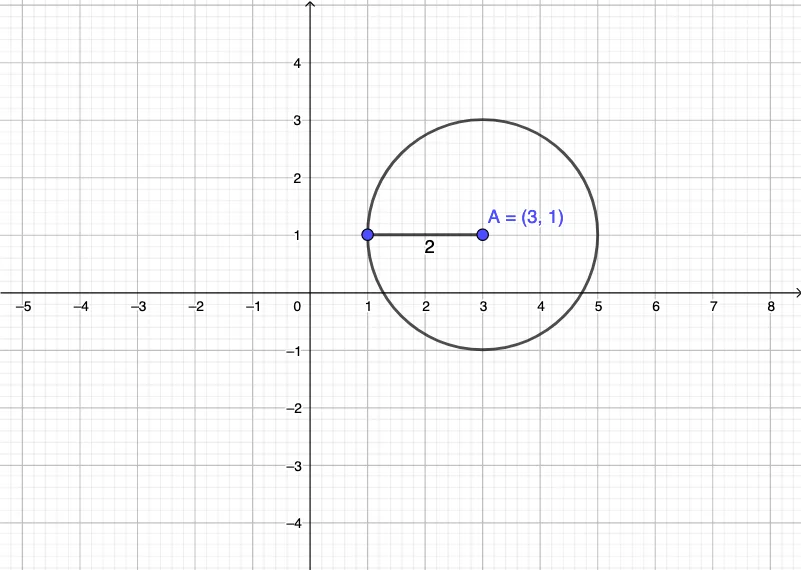
This GeoGebra example demonstrates how to connect the geometric construction of a circle with its equation-based representation, enabling learners to visualize how key circle elements determine the circle’s curve. The main mathematical ideas include the geometric definition of a circle, the equation of a circle (typically determined by center and radius), and the way geometric constraints can be modeled and observed through dynamic graphics. Construction highlights from the provided summary: the commands Circle and Segment are used to build the circle and the segment, with objects including endpoints A and B, and additional objects c (a circle-related object such as the center/radius specification) and f (an equation/function object tied to the circle). The workflow is to define the segment first, then construct the circle based on that setup, yielding an equation-linked visualization. Suitable for secondary school students and introductory college learners, it supports instruction and self-study in analytic geometry and graphing-based understanding of circle equations.
GeoGebra Commands & Parameters
Circle(A, B) → cSegment(B, A) → f
AI Drawing Prompt Reference
Draw a diagram showing a line segment and a circle, with the segment serving as the diameter. The circle should be centered at the midpoint of the segment, and its equation should be displayed. Start by drawing the line segment, then construct the circle using the segment as the diameter, and finally show the equation of the circle to illustrate the relationship between the geometric construction and the algebraic representation of a circle.
The prompt above was compiled from the original drawing commands and is for reference only.