
Emphasizing Intersections by STEP - המראה
Loading the math board and drawing, please wait…
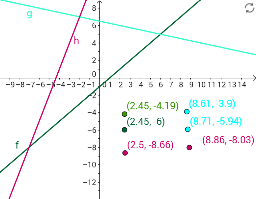
This example demonstrates how to highlight the intersection points of two curves by adjusting parameters. Key mathematical concepts include coordinate geometry and transformations. Using GeoGebra commands such as Textfield, Line, and InputBox, users can dynamically explore the changes in intersection points under different parameter settings. Suitable for high school mathematics education, particularly in coordinate geometry and function graphing.
GeoGebra Commands & Parameters
Textfield(k) → InputBox1Line(C, A) → fLine(A, B) → gLine(B, C) → hTextfield(m) → InputBox2Textfield(n) → InputBox3