
Ellipses and Related Geometric Elements Visualization
Loading the math board and drawing, please wait…
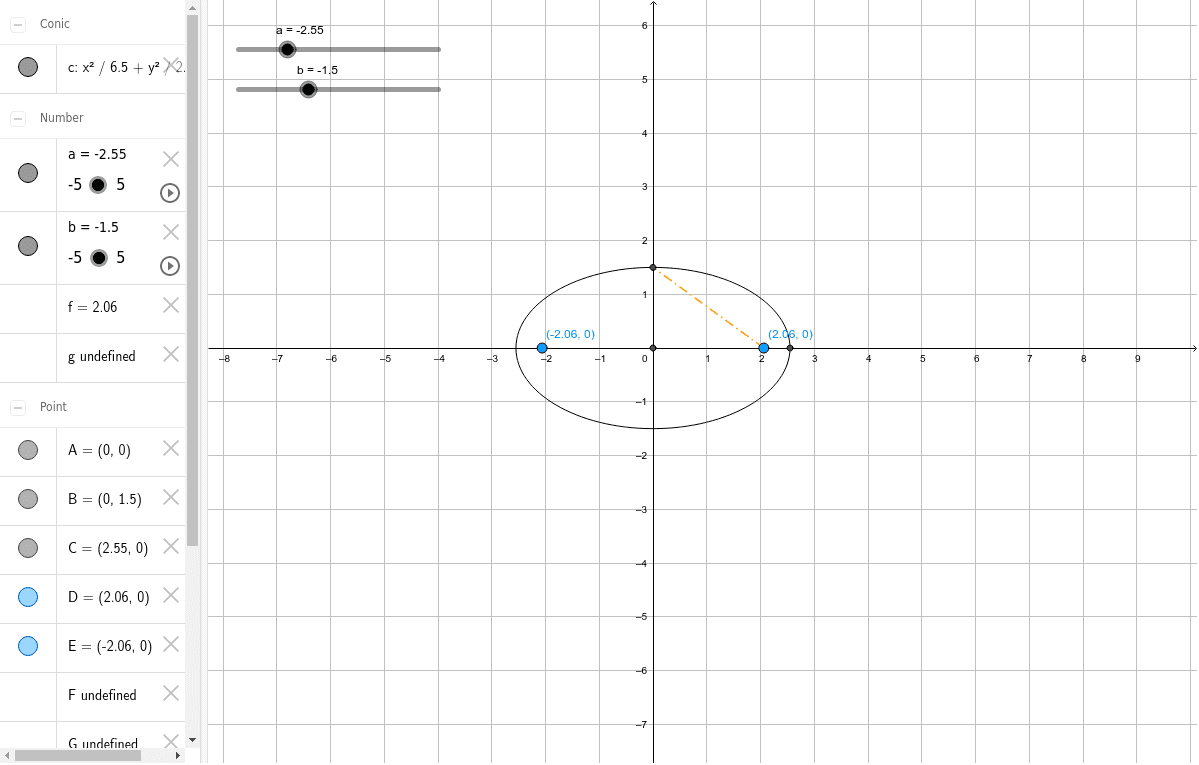
①This GeoGebra example dynamically displays the basic shape of an ellipse and constructs auxiliary geometric elements (such as foci, vertices, rectangles, percentage labels) using intersection and segment commands, providing an intuitive view of ellipse properties. ②Core mathematical concepts include the standard equation of an ellipse, major/minor axes, foci, geometric construction, and connections to function graphs and standard deviation in statistics. ③Construction highlights: from the summary, commands Intersect and Segment are used, involving objects a, b, c (ellipse curves), points A, B, C, D, E, F, G, and segments d, e, f, g, h, i. Key points are determined via intersections, then connected by segments to form auxiliary shapes, possibly with rectangles and percentages for measurement or annotation. ④Suitable for high school or early college analytic geometry lessons, math lab activities, helping students understand ellipse definitions, parameter relationships, and geometric construction methods, while also linking to statistical concepts like standard deviation and ellipse fitting.
GeoGebra Commands & Parameters
Intersect(xAxis, yAxis) → AIntersect(c, yAxis, 2) → BSegment(A, B) → dIntersect(c, xAxis, 2) → CSegment(A, C) → eSegment(F, C) → hSegment(D, B) → i