
Labeled Ellipses Construction
Loading the math board and drawing, please wait…
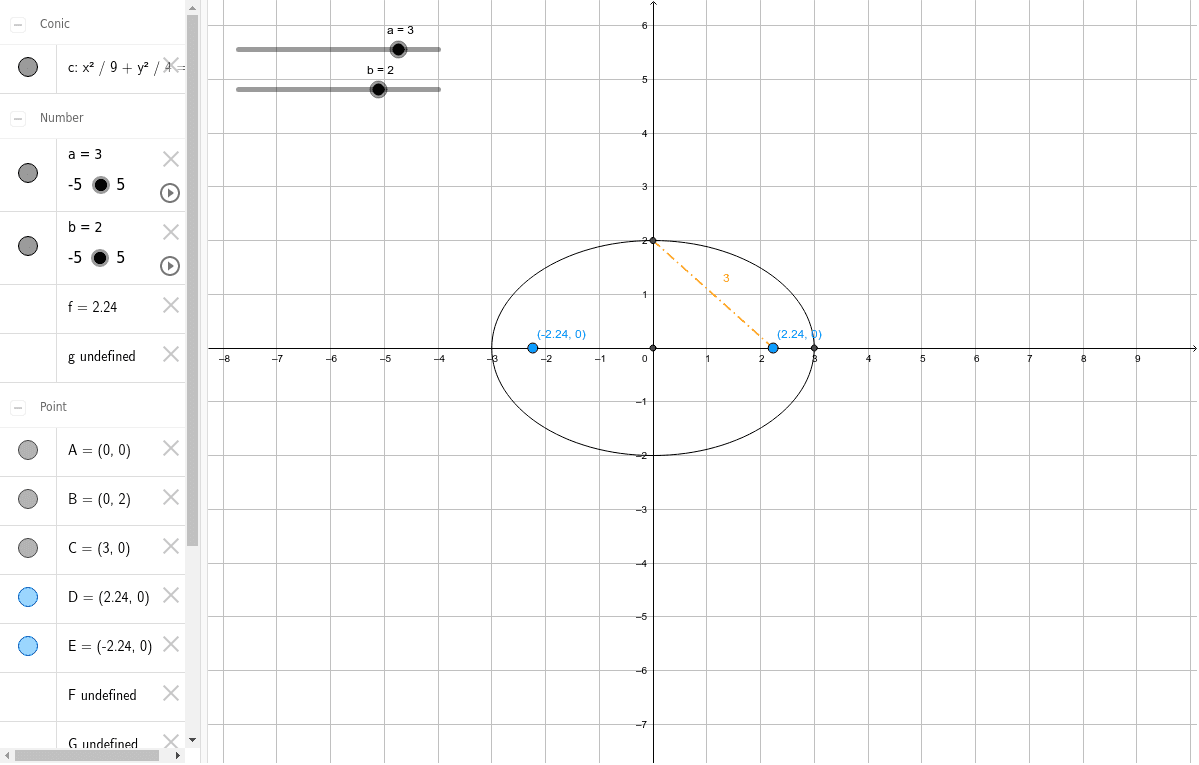
This GeoGebra example demonstrates the construction and labeling of ellipses, providing an interactive visualization to understand their geometric properties. Key mathematical concepts involved include the definition of an ellipse, focus-directrix properties, and coordinate geometry representations such as parametric equations. The construction utilizes GeoGebra commands like Intersect and Segment, with objects including points A, B, C, D, E, F, G and parameters a, b, c, d, e, f, g, h, i to build key points on the ellipse and connect them with segments, resulting in a labeled diagram. It is suitable for high school or college-level geometry and analytic geometry courses, particularly in conic sections, for classroom instruction or self-study.
GeoGebra Commands & Parameters
Intersect(xAxis, yAxis) → AIntersect(c, yAxis, 2) → BSegment(A, B) → dIntersect(c, xAxis, 2) → CSegment(A, C) → eSegment(F, C) → hSegment(D, B) → i
AI Drawing Prompt Reference
Draw an ellipse with foci, directrix, and points on the ellipse. The construction order starts from the center, then the directrix, then the foci, and finally connect points on the ellipse. Ensure the diagram is clear and labeled to help understand the geometric properties of the ellipse.
The prompt above was compiled from the original drawing commands and is for reference only.