
Ellipse and Linear Transformation in GeoGebra
Loading the math board and drawing, please wait…
In collections
geometriadinamica.es
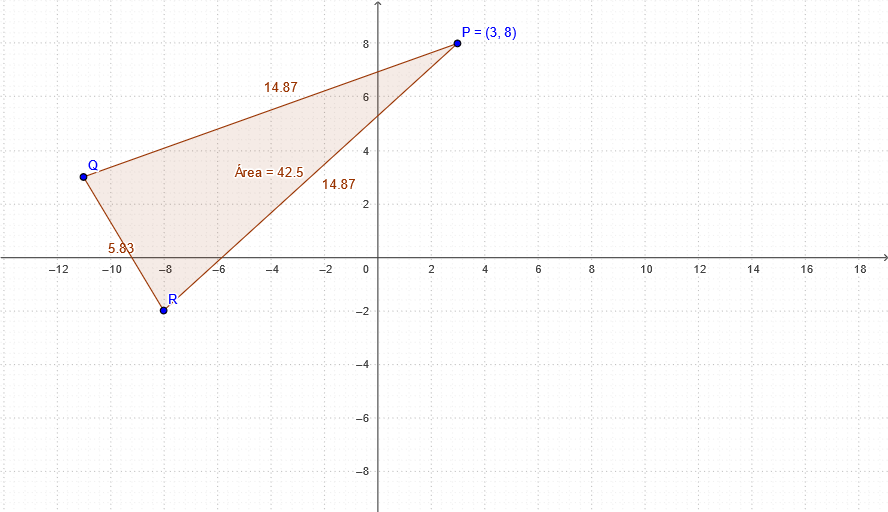
This example demonstrates drawing an ellipse and applying linear transformations using GeoGebra. Key mathematical concepts include ellipse definition, linear transformations, and vector operations. Construction steps: Use Polygon command to create points P, Q, R, calculate area with Área, and adjust parameters p, q, r. Suitable for high school students learning analytic geometry and vector applications.
GeoGebra Commands & Parameters
Polygon(Q, R, P) → Área, p, q, r
AI Drawing Prompt Reference
Draw a triangle with vertices labeled P, Q, and R, and display its area. Also show an ellipse in the coordinate plane, and demonstrate a linear transformation applied to it, such as changing its shape or orientation via vector operations. Include coordinate axes, the triangle vertices, the original ellipse, and its transformed image, highlighting the relationship between the area and parameters p, q, r. First construct the triangle, then draw the ellipse, and finally apply the linear transformation to observe the changes.
The prompt above was compiled from the original drawing commands and is for reference only.