
Electric Field Vectors by Tom Walsh
Loading the math board and drawing, please wait…
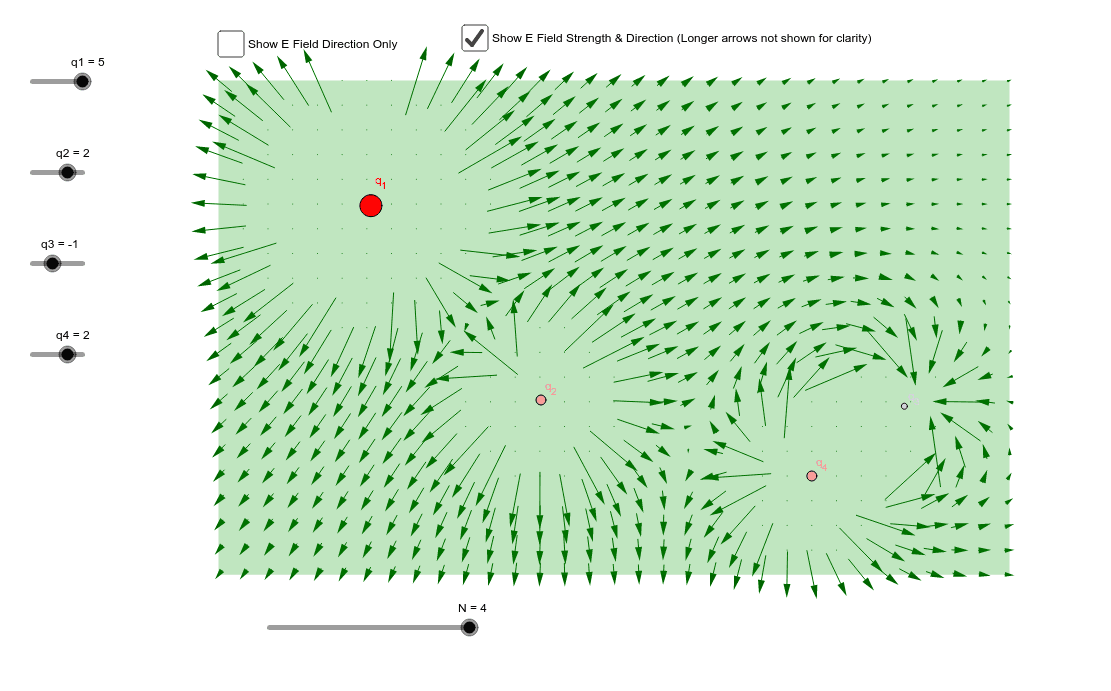
This example visualizes electric field vectors. Key mathematical concepts include vectors and field theory. Using GeoGebra commands such as Intersect, Point, and Polygon, electric field vectors are constructed. Suitable for high school physics and mathematics education.
GeoGebra Commands & Parameters
Intersect(xAxis, yAxis) → APoint(yAxis) → BPoint(xAxis) → DPolygon(A, B, C, D) → poly1, a, b, c, dPointIn(poly1) → P1PointIn(poly1) → P3PointIn(poly1) → P2PointIn(poly1) → P4Sequence(Sequence[Vector[(a, b) + ((Efx(a, b), Efy(a, b)) * 0.125), (a, b) - ((Efx(a, b), Efy(a, b)) * 0.125)], a, 0, 8, 0.25], b, 0, 5, 0.25) → list1Sequence(Sequence[Vector[(a, b) + ((Egx(a, b), Egy(a, b)) * 0.125), (a, b) - ((Egx(a, b), Egy(a, b)) * 0.125)], a, 0, 8, 0.25], b, 0, 5, 0.25) → list2
AI Drawing Prompt Reference
Draw an electric field vector diagram. First, plot points A, B, and D on the coordinate axes, then form a quadrilateral poly1 with these points. Next, randomly select four points P1, P2, P3, and P4 inside the quadrilateral. Finally, draw electric field vectors from these points, with a length of 0.125 units and direction determined by the electric field functions Efx(a, b) and Efy(a, b).
The prompt above was compiled from the original drawing commands and is for reference only.