
Effect of Changing Length and Width of a Rectangle on Its Perimeter (Fixed Area)
Loading the math board and drawing, please wait…
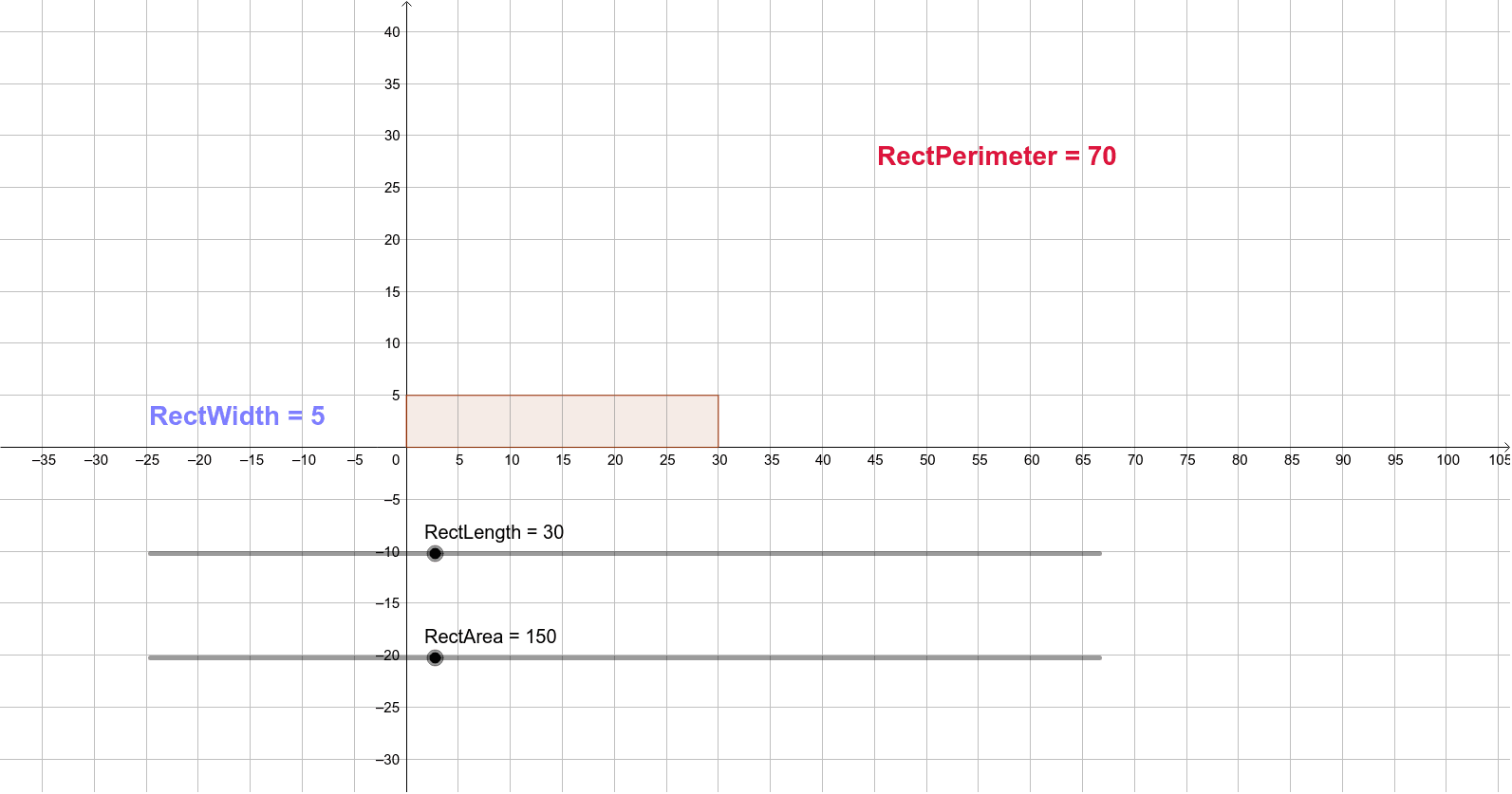
① This example dynamically adjusts the length and width of a rectangle while keeping its area constant, visually demonstrating how the perimeter changes with the aspect ratio. ② Core mathematical concepts include the relationship between area and perimeter of a rectangle, inverse proportionality (length × width = constant), optimization (minimum perimeter occurs at a square), and constrained variables. ③ Construction highlights: using GeoGebra commands such as Circle, Point, Segment, Ray, Rotate, Intersect, Tangent, Polygon, and Area to build the rectangle and auxiliary lines; sliders control length and width; computed values RectArea and RectPerimeter are displayed via text labels (text1, text2) for real-time feedback. ④ Suitable for middle and high school students learning geometry combined with algebra, function graphs, and optimization, as well as for teachers demonstrating dynamic geometric relationships under constraints.
GeoGebra Commands & Parameters
Circle(A, RectLength) → cPoint(Circle[A, RectWidth]) → BSegment(A, B) → fRay(A, B) → gRotate(B, 90°, A) → B'Ray(A, B') → hRotate(A, 90°, B') → A'Ray(B', A') → iIntersect(c, g) → C,Tangent(C, c) → j,Intersect(j, i) → DPolygon(A, C, D, B') → poly1, a, c_1, d, b'Area(poly1) → b
AI Drawing Prompt Reference
Draw a rectangle with a fixed area, where its length and width are controlled by two sliders while their product remains constant. Start by placing a circle centered at one vertex with radius equal to the rectangle's length, then pick a point on the circle as the adjacent vertex and connect them to form one side. Rotate this side by 90 degrees to construct the two adjacent edges, and use a tangent line from the circle's intersection with a ray to determine the fourth vertex. Complete the rectangle and display its area and perimeter in real time, with the area staying constant and the perimeter changing with the aspect ratio, reaching a minimum when the rectangle becomes a square.
The prompt above was compiled from the original drawing commands and is for reference only.