
Dynamic Kite Exploration
Loading the math board and drawing, please wait…
In collections
Geom. & Alg. Quadrilateral & Polygons
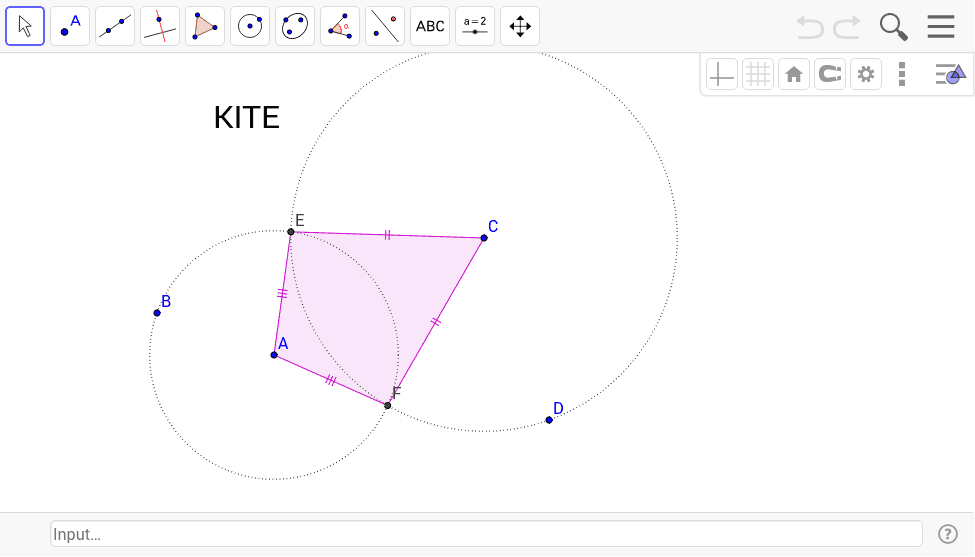
This interactive GeoGebra example visualizes a dynamic kite shape formed by combining triangles and circular arcs. It illustrates key concepts such as triangle properties, unit‑circle geometry, and polygon assembly, allowing users to manipulate control points via sliders and observe real‑time transformations. Built with the Circle, Intersect, and Polygon commands, the construction emphasizes geometric construction techniques and parametric design. Ideal for high‑school geometry lessons, mathematical modeling activities, and explorations of dynamic geometry.
GeoGebra Commands & Parameters
Circle(A, B) → cCircle(C, D) → dIntersect(c, d) → E, F, ,Polygon(A, E, C, F) → poly1, a, e, c_1, f
AI Drawing Prompt Reference
Draw a dynamic kite shape made of triangles and circular arcs. First, draw two circles, then find their intersection points, and finally use these points and the vertices to construct a quadrilateral.
The prompt above was compiled from the original drawing commands and is for reference only.