
Dynamic Illustration of Special Line through Triangle Midpoint
Loading the math board and drawing, please wait…
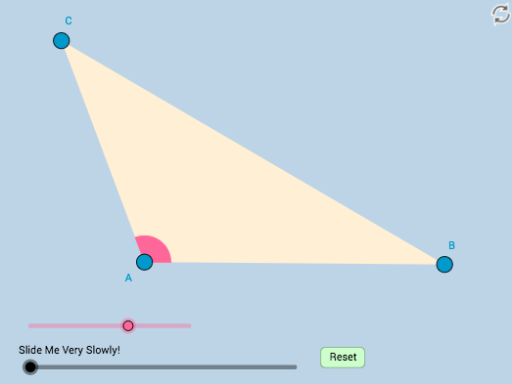
This example dynamically illustrates the theorem of a parallel line through the midpoint of one side of a triangle. It involves core mathematical concepts such as parallel lines, triangle medians, and geometric theorem verification. The construction utilizes GeoGebra commands and objects like Ray, Segment, Rotate, Angle, Point, Midpoint, Circle, Intersect, Line, Polygon, Dilate, Vector, and Translate. It is suitable for high school mathematics teaching, particularly for exploring and proving geometric theorems.
GeoGebra Commands & Parameters
Ray(A, B) → fSegment(A, B) → gRotate(B, α, A) → B'Angle(B, A, B') → βRay(A, B') → hPoint(h) → CSegment(C, B) → iSegment(A, C) → jMidpoint(j) → DMidpoint(i) → ESegment(D, E) → kMidpoint(k) → FMin({j / 2, k / 2}) → aCircle(A, (0.35 * a)) → cIntersect(c, j, 1) → GIntersect(c, g, 1) → HCircleSector(A, H, G) → dLine(D, E) → lCircle(D, 2) → eCircle(E, 2) → pIntersect(e, l, 1) → IIntersect(p, l, 2) → JRay(D, I) → mRay(E, J) → nPolygon(A, B, C) → poly1, c_1, a_1, bDilate(A, If[0 < o ≤ 1, 1 - o, 0], B) → A'Segment(A, A') → qDilate(A, If[1 < o ≤ 2, 2 - o, 0], D) → A'_1Segment(A, A'_1) → rDilate(D, If[2 < o ≤ 3, 3 - o, 0], C) → D'Segment(D, D') → sRotate(A, If[3 < o ≤ 4, ((o - 3) * π), π], D) → A'_2Rotate(A'_1, If[3 < o ≤ 4, ((o - 3) * π), π], D) → KSegment(A'_2, K) → r'Dilate(B, If[4 < o ≤ 5, 5 - o, 0], E) → B'_1Segment(B, B'_1) → tDilate(E, If[5 < o ≤ 6, 6 - o, 0], C) → E'Segment(E, E') → f_1Rotate(B, If[6 < o ≤ 7, ((-(o - 6)) * π), (-π)], E) → B'_2Rotate(B'_1, If[6 < o ≤ 7, ((-(o - 6)) * π), (-π)], E) → LSegment(B'_2, L) → t'Dilate(D, If[7 < o ≤ 8, 8 - o, 0], F) → D'_1Segment(D, D'_1) → g_1Dilate(A, If[8 < o ≤ 9, 9 - o, 0], D) → A'_3Vector(A, A'_3) → uTranslate(d, u) → d'Dilate(F, If[9 < o ≤ 10, 10 - o, 0], E) → F'Segment(F, F') → h_1
AI Drawing Prompt Reference
Draw a triangle ABC and connect AB to find its midpoint D. Draw a line segment DE parallel to BC through D. Then, draw a circle centered at D with a radius of half the length of DE, and find its intersection with DE. Next, draw another circle centered at D with a radius of twice the length of DE, and find its intersection with DE. Finally, draw a perpendicular line segment from D to DE, and find its intersection with the previous circles to form a dynamic geometric figure.
The prompt above was compiled from the original drawing commands and is for reference only.