
Dynamic GeoGebra Cylinder and Vector Transformation
Loading the math board and drawing, please wait…
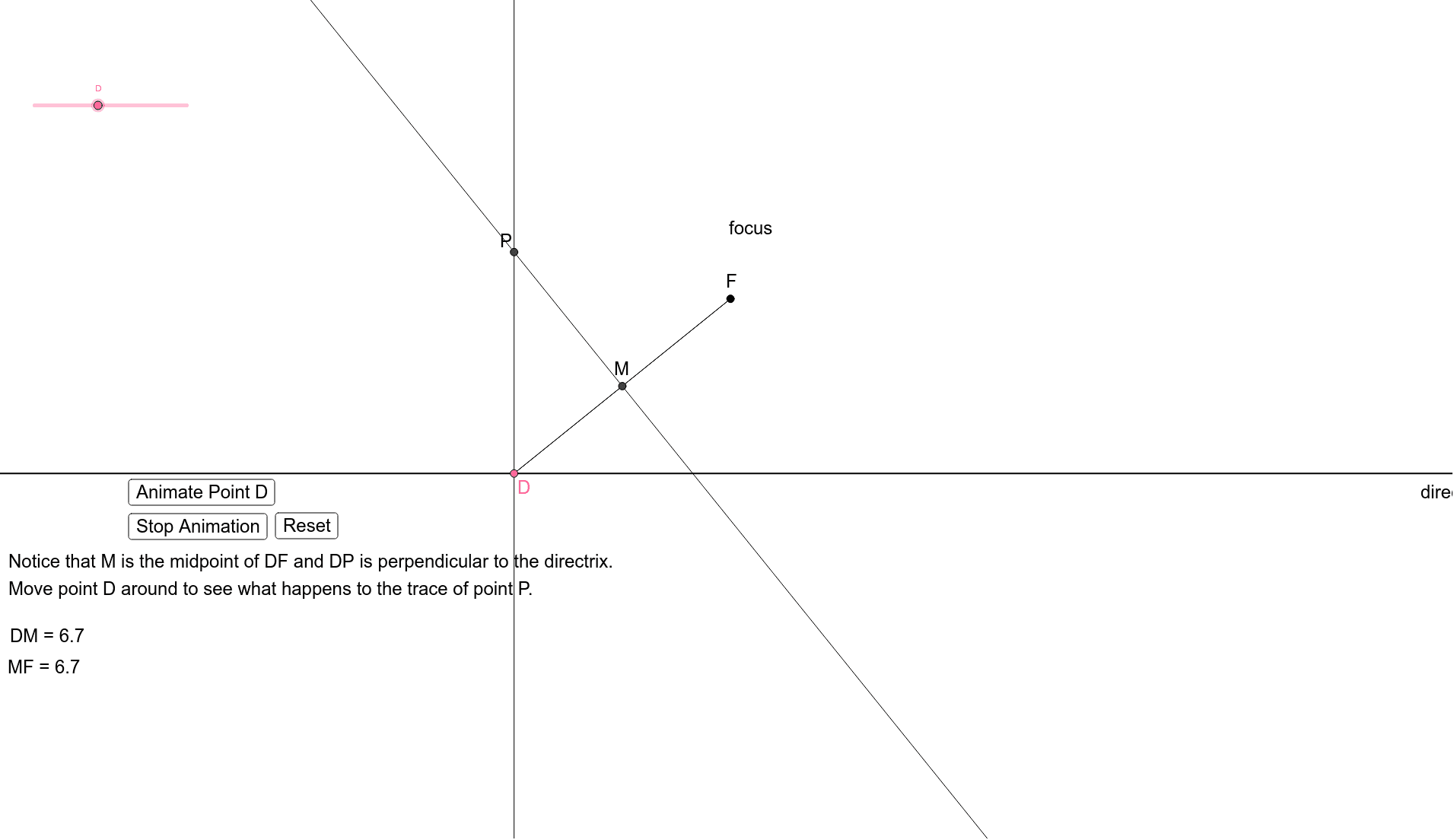
This example demonstrates the transformation of cylinders and three-dimensional vectors using dynamic geometry software. Key mathematical concepts include the geometric properties of cylinders, vector transformation principles, and trigonometric functions in three-dimensional space. Construction involves using commands like Point, Line, Segment, and OrthogonalLine to create cylinder axes and vectors, with Distance calculations to verify transformation distances. Suitable for high school students learning solid geometry and vector transformations, or as a mathematical modeling teaching case.
GeoGebra Commands & Parameters
Point(xAxis) → APoint(xAxis) → BLine(B, A) → aSegment(F, D_1) → bLineBisector(b) → cIntersect(b, c) → MOrthogonalLine(D_1, a) → dIntersect(c, d) → F_1Segment(D_1, M) → eSegment(M, F) → fDistance(D_1, M) → distanceDEDistance(F, M) → distanceCMDistance(M, F) → distanceMF
AI Drawing Prompt Reference
Draw a three-dimensional cylinder with its axis defined by a line through two points on the horizontal axis. Construct a segment between two spatial points, then find its perpendicular bisector intersecting the segment at its midpoint. From one endpoint, draw a line perpendicular to the cylinder axis, intersecting the bisector at a new point. Connect this new point to the midpoint and the midpoint to the other endpoint with segments. Finally, measure and label the distances between the key points to verify the transformation. The figure should clearly show the cylinder axis, auxiliary lines, and the vector transformation geometry.
The prompt above was compiled from the original drawing commands and is for reference only.