
Dynamic Demonstration of Dilation and Scale Factors
Loading the math board and drawing, please wait…
In collections
Team 4 Dilations
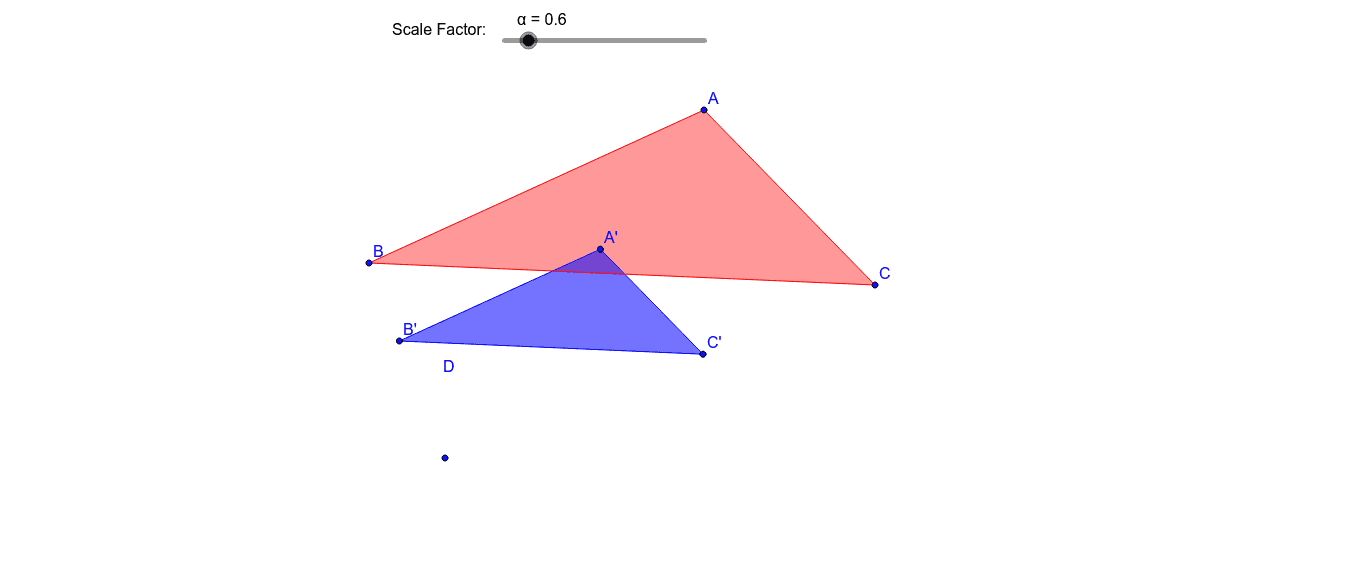
This interactive example demonstrates the geometric concept of dilation in a 2D plane. It focuses on how the scale factor and the center of dilation affect the size and position of a preimage. The construction utilizes the Polygon command to create the initial shape (poly1) and the Dilate command to generate the image (poly1'). By employing the Distance command, the tool calculates and compares the lengths of corresponding segments (e.g., AB vs A'B'), providing a quantitative proof of the scale factor. This resource is ideal for middle and high school students studying similarity, transformations, and coordinate geometry.
GeoGebra Commands & Parameters
Polygon(A, B, C) → poly1, c, a, bDilate(A, α, D) → A'Dilate(B, α, D) → B'Dilate(C, α, D) → C'Polygon(A', B', C') → poly1', c', a', b'Distance(A', B') → distanceA'B'Midpoint(A', B') →Distance(A, B) → distanceABMidpoint(A, B) →Distance(B', C') → distanceB'C'Midpoint(B', C') →Distance(B, C) → distanceBCMidpoint(B, C) →
AI Drawing Prompt Reference
Please draw a dynamic demonstration of geometric dilation in a 2D plane. First, create an initial polygon. Then, select a center point and a scale factor to dilate the polygon, generating a new polygon. Calculate and compare the lengths of corresponding segments between the original and the new polygons to demonstrate the effect of the scale factor. This illustration is suitable for middle and high school students studying similarity, transformations, and coordinate geometry.
The prompt above was compiled from the original drawing commands and is for reference only.