
Dynamic Demo of the 5 Angle Types: Acute, Obtuse, Right, Straight, Reflex
Loading the math board and drawing, please wait…
In collections
Some terms & definitions. Angles, angle pairs, angle measure
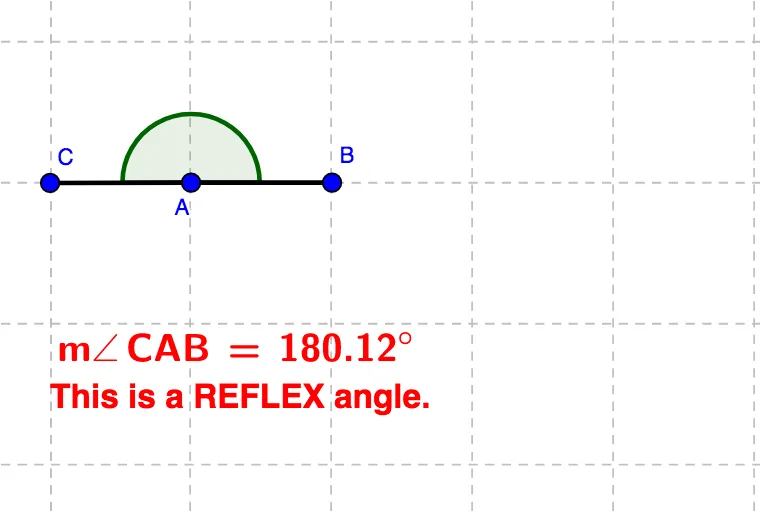
This example lets you move point C to change the angle opening formed by two rays and shows, in real time, how the angle type updates accordingly to acute, obtuse, right, straight, and reflex. It centers on the key mathematics of angle measurement and classification rules: acute (between 0° and 90°), obtuse (between 90° and 180°), right (exactly 90°), straight (180°), and reflex (greater than 180° up to 360°, represented as the larger turning angle). Construction uses geometric primitives: Circle and Line to set up the visual and structural reference, Intersect to compute key intersection points (e.g., D and E), Point to define movable and fixed points (including C), Segment to form the angle’s defining arms, and the Angle tool to create/label the angle (α) and display its classification (acute, right, obtuse, straight, reflex). Suitable for middle and high school geometry lessons, interactive classroom demonstrations, and self-study focused on understanding angle types through parameter-driven motion.
GeoGebra Commands & Parameters
Circle(A, a) → cLine(A, xAxis) → bIntersect(c, b, 2) → BPoint(c) → CSegment(B, A) → dSegment(A, C) → eAngle(B, A, C) → α
AI Drawing Prompt Reference
Draw a dynamic illustration of five types of angles: start by drawing a circle and a horizontal line that intersect at a point, then place a movable point at this intersection, connect this point to the center of the circle, and connect the center of the circle to another intersection point on the horizontal line to form two rays. As the movable point moves, display in real time the angle formed by these two rays, labeling its size and type (acute, right, obtuse, straight, reflex).
The prompt above was compiled from the original drawing commands and is for reference only.