
Dynamic Cylinder-Inscribed Right Triangle and Quadratic Function
Loading the math board and drawing, please wait…
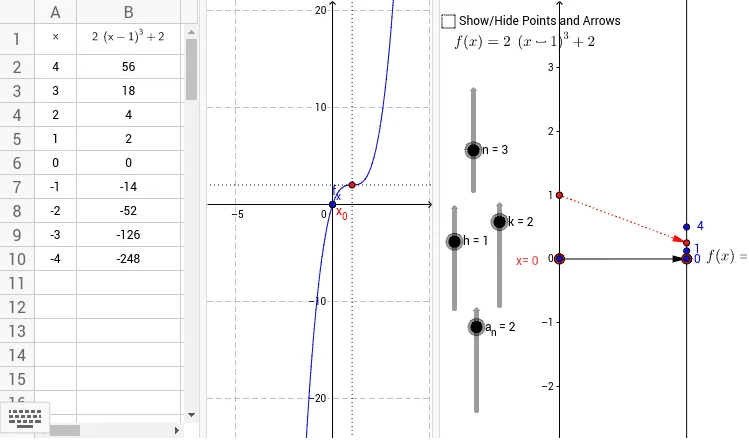
This GeoGebra example demonstrates a composite figure involving a cylinder, right triangles, and a quadratic function. It shows how moving points or sliders changes the position of a right triangle within or on a cylinder, affecting the graph of a quadratic function, while also involving multiplication and sequences. Core mathematical concepts include solid geometry of cylinders, side relationships in right triangles, properties of quadratic functions, and sequences. Construction uses commands such as Point, Vector, Textfield, Sequence, and Intersect, creating multiple points (A, B, A1-A10, B2-B10), a function f, sliders (a_n, k, h, n), text objects (text1, text2), an input box (inputBox1), and lists (list1) with intersection points (G1, H1) to build dynamic relationships. Suitable for high school or early college students to explore the integration of solid geometry and function graphs through dynamic experimentation.
GeoGebra Commands & Parameters
Point(yAxis) → AVector(A, B) → uTextfield(f) → inputBox1Sequence((i, f(i)), i, -4, 4, 1) → list3Vector((0, 0), (2, 0)) → vSequence(Vector[(0, i), (2, f(i) / 8)], i, -4, 4, 1) → list2Intersect(f, c, 1) → GVector(H, I) → wVector(J, K) → z
AI Drawing Prompt Reference
Draw a dynamic figure with a cylinder and an inscribed right triangle. The triangle's vertices move on the cylinder, affecting a quadratic function's graph. Use sliders to adjust the triangle's position and function parameters, showing their relationships with sequences and vectors for dynamic changes.
The prompt above was compiled from the original drawing commands and is for reference only.