
Drawings vs Constructions
Loading the math board and drawing, please wait…
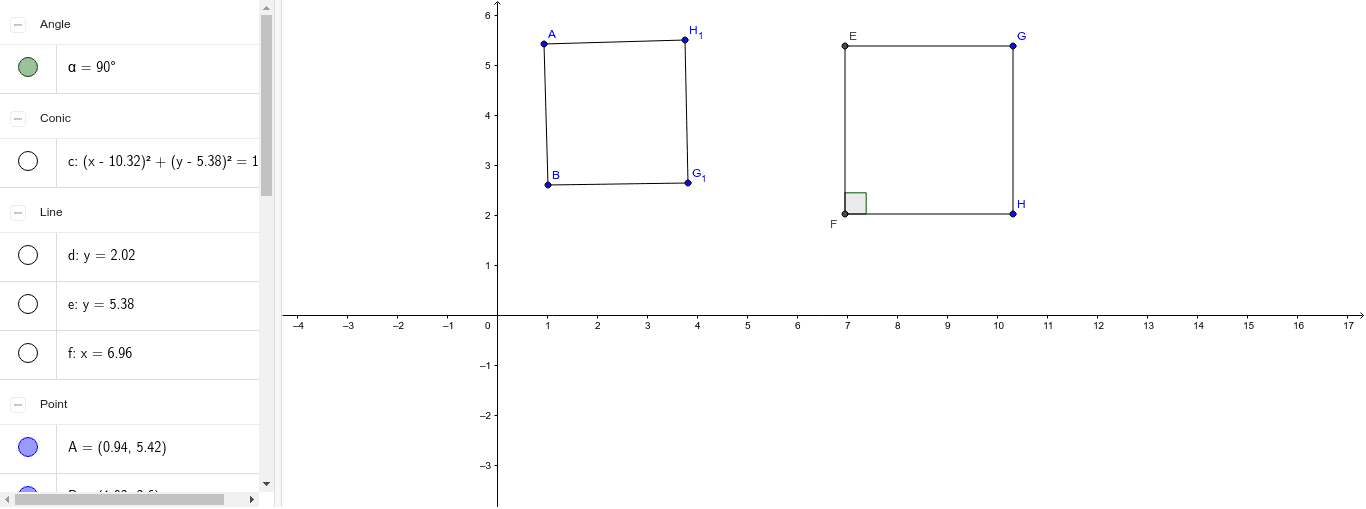
This example demonstrates the difference between drawing and construction in geometry, focusing on precision and accuracy. It involves core concepts like geometric shapes, transformations, and measurements. GeoGebra commands used include Circle, Segment, Tangent, OrthogonalLine, Intersect, and Angle. Suitable for high school and above, highlighting the importance of exact constructions versus approximate drawings.
GeoGebra Commands & Parameters
Circle(G, H) → cSegment(G, H) → bTangent(H, c) → d,OrthogonalLine(G, b) → eIntersect(c, e, 1) → EOrthogonalLine(E, e) → fIntersect(d, f) → FSegment(E, F) → gSegment(F, H) → hSegment(E, G) → iAngle(E, F, H) → αSegment(A, B) → aSegment(B, G_1) → jSegment(G_1, H_1) → kSegment(H_1, A) → l
AI Drawing Prompt Reference
Draw a triangle where one side is a tangent to a circle, another side is a line perpendicular to it, and find their intersection. Then draw lines from the intersection to the circle and the tangent point. Connect the intersection to the circle's point and measure the angle. Finally, add more line segments to connect other vertices and complete the shape.
The prompt above was compiled from the original drawing commands and is for reference only.