
Drawings vs Constructions by watsonm1
Loading the math board and drawing, please wait…
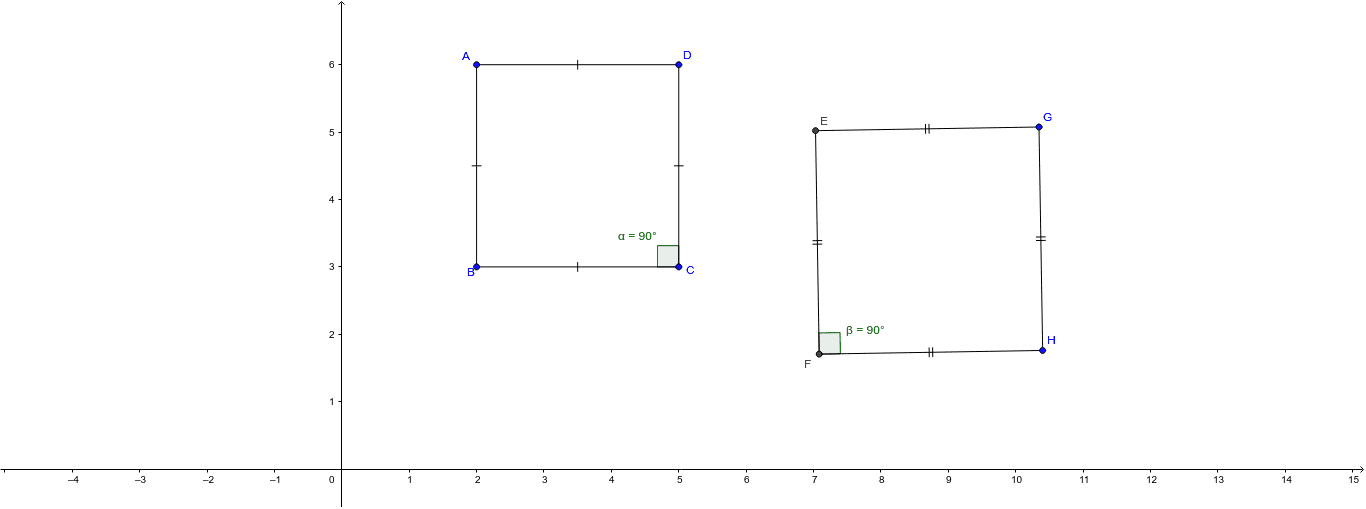
This example explores the difference between a drawing and a construction using GeoGebra tools. Key mathematical concepts include geometric construction, angles, and segments. Using commands such as Circle, Segment, Tangent, OrthogonalLine, Intersect, and Angle, students can learn how to precisely draw geometric shapes. Suitable for students in middle school and above learning geometric construction.
GeoGebra Commands & Parameters
Circle(G, H) → cSegment(G, H) → bTangent(H, c) → d,OrthogonalLine(G, b) → eIntersect(c, e, 1) → EOrthogonalLine(E, e) → fIntersect(d, f) → FSegment(E, F) → gSegment(F, H) → hSegment(E, G) → iAngle(E, F, H) → βSegment(B, C) → aSegment(D, C) → jSegment(D, A) → kSegment(A, B) → lAngle(D, C, B) → α
AI Drawing Prompt Reference
Draw a triangle ABC with AB and AC as two sides and BC as the base. Then, draw a circle with center A and radius AB, and another circle with center B and radius BC, which intersect at point D. Connect AD and DC to form quadrilateral ABDC. Next, draw a perpendicular line to AB through D, intersecting the circle A at point E, and then draw a perpendicular line to DC through E, intersecting the previous perpendicular line at point F. Connect EF to get segment EF. Finally, measure the angle EFC.
The prompt above was compiled from the original drawing commands and is for reference only.