
Drawing an Ellipse by Jennifer Silverman
Loading the math board and drawing, please wait…
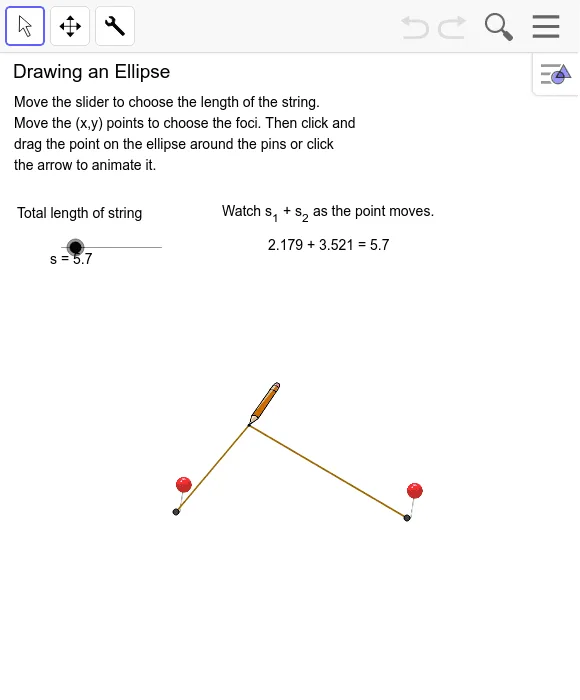
This example demonstrates how an ellipse is constructed, involving core mathematical concepts like circles, intersections, lines, and midpoints. It utilizes GeoGebra commands and objects such as Circle, Intersect, Ellipse, Line, Point, Segment, Midpoint, OrthogonalLine, and Distance. Suitable for high school students learning about the definition and properties of ellipses.
GeoGebra Commands & Parameters
Circle(A, g) → hCircle(B, e) → kIntersect(h, k, 1) → C_1Ellipse(A, B, C_1) → pLine(A, B) → iPoint(p) → B'Segment(A, B') → s_1Segment(B, B') → s_2Segment(A, B) → a_1Midpoint(a_1) → GOrthogonalLine(G, a_1) → b_1Intersect(p, b_1) → F, ELine(A, B) → cIntersect(p, c) → C, DSegment(E, F) → dSegment(C, D) → fDistance(G, D) → distanceGDDistance(G, E) → distanceGESegment(G, E) → bSegment(G, D) → a
AI Drawing Prompt Reference
Draw an ellipse by first creating two intersecting circles and identifying their intersection points. Then, form the ellipse using the centers of these circles and one intersection point. Next, connect the centers and find the midpoint, draw a perpendicular line from this midpoint to the connecting line, and mark where it intersects the ellipse. Connect these intersection points to the centers and measure the distances from the midpoint to each intersection point.
The prompt above was compiled from the original drawing commands and is for reference only.