
Drawing a tangent line to a curve: Case 1
Loading the math board and drawing, please wait…
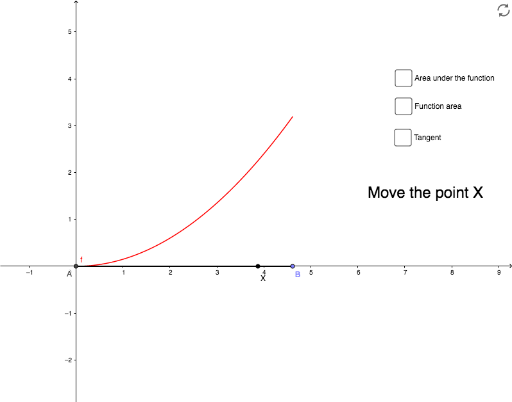
This example demonstrates how to draw a tangent line to a curve, construction based on proposition 11 from Barrow’s Geometrical Lections. Case 1: positive continuously increasing. It visually illustrates the method of constructing a tangent line at a point on a curve. Key math concepts involved include tangent, derivative, function graph, and geometric construction. The construction uses GeoGebra commands like Intersect, Point, Ray, Function, Integral, Segment, OrthogonalLine, Circle, and Line. Suitable for high school and above students to understand tangent construction and calculus basics.
GeoGebra Commands & Parameters
Intersect(xAxis, yAxis) → APoint(xAxis) → ZRay(A, Z) → aPoint(a) → BFunction(f_1, x(A), x(B)) → fIntegral(f_1, x) → hFunction(h, x(A), x(B)) → pSegment(A, B) → bPoint(b) → XIntegral(f, x(A), x(X)) → cOrthogonalLine(X, b) → dIntersect(p, d, 1) → DIntersect(f, d, 1) → ESegment(X, D) → XDSegment(X, E) → XECircle(X, XC) → eIntersect(e, b, 1) → CLine(D, C) → iLine(X, E) → g
AI Drawing Prompt Reference
Draw a curve and select a point on it. From this point, draw a ray. Find two points on the ray and define a function based on these points. Calculate the integral of this function between the two points. Define another function using the integral result and plot its graph. Find the point where the ray intersects the curve and draw a line through this point that is orthogonal to the graph of the integral function at the intersection point. Finally, draw two line segments through the intersection point and other points on the curve, and construct a circle using these segments to find another intersection point with the ray. Draw two lines through this new intersection point and the original intersection point.
The prompt above was compiled from the original drawing commands and is for reference only.