
Drawing a Circle with a Real Compass: Dynamic Geometry Simulation
Loading the math board and drawing, please wait…
In collections
animation Constructions
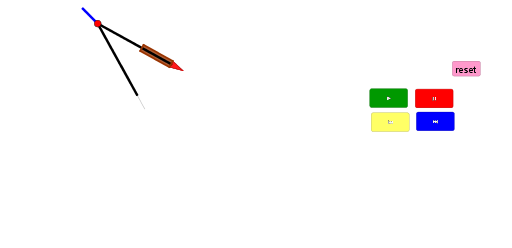
① This GeoGebra example dynamically simulates the process of drawing a circle with a real compass, showing the locus of the pencil tip as the compass rotates with one leg fixed. ② Core mathematical concepts include the definition of a circle (set of points at a fixed distance from a given point), fundamental geometric constructions (rotation, intersection, perpendicular lines, angle bisectors), and introductory ideas of parametric curves and random experiments. ③ Construction highlights: from the summary, commands such as Intersect, Rotate, CircleArc, Circle, Segment, LineBisector, OrthogonalLine, Point, Polygon, and Line are used; objects include compass legs A and B, rotated point B', auxiliary lines, arcs, and intersection points, all combined to generate the circle precisely through rotation and intersection. ④ Suitable for middle school and above, this example is ideal for teaching geometric construction, demonstrating the generation principle of a circle dynamically, and serving as an introductory case for parametric curves and stochastic processes, helping students intuitively understand the relationship between compass operation and geometric construction.
GeoGebra Commands & Parameters
Intersect(xAxis, yAxis) → ARotate(B, If[0 < a ≤ 1, ((a * 2) * π), (2 * π)], A) → B'CircleArc(A, B, B') → cCircle(A, C) → dSegment(A, B') → fSegment(A, B') → gLineBisector(A, B') → hIntersect(d, h) → D, ESegment(A, B') → iLineBisector(A, B') → jSegment(A, E) → kSegment(B', E) → lOrthogonalLine(E, h) → mPoint(h) → FSegment(E, F) → nPoint(l) → GSegment(G, E) → pSegment(B', G) → qOrthogonalLine(G, p) → rPoint(r) → HPoint(r) → ISegment(H, B') → sSegment(B', I) → tSegment(I, H) → bPolygon(H, I, B') → poly1, b', h_1, i_1Point(k) → JSegment(A, J) → eSegment(J, E) → f_1Point(p) → KLine(K, b') → g_1Line(H, p) → j_1Line(I, p) → k_1Intersect(j_1, g_1) → LIntersect(k_1, g_1) → MPolygon(H, L, M, I) → poly2, h_2, l_1, m_1, i_2
AI Drawing Prompt Reference
Draw a dynamic simulation of drawing a circle with a compass, showing the locus of the pencil tip. Keep one leg fixed while the other rotates, forming a circle. Illustrate the definition of a circle: set of points at a fixed distance from a given point. Include basic geometric constructions like rotation, intersection, perpendicular lines, and angle bisectors, introducing parametric curves. Use compass legs, rotated points, auxiliary lines, arcs, and intersection points to precisely generate the circle.
The prompt above was compiled from the original drawing commands and is for reference only.