
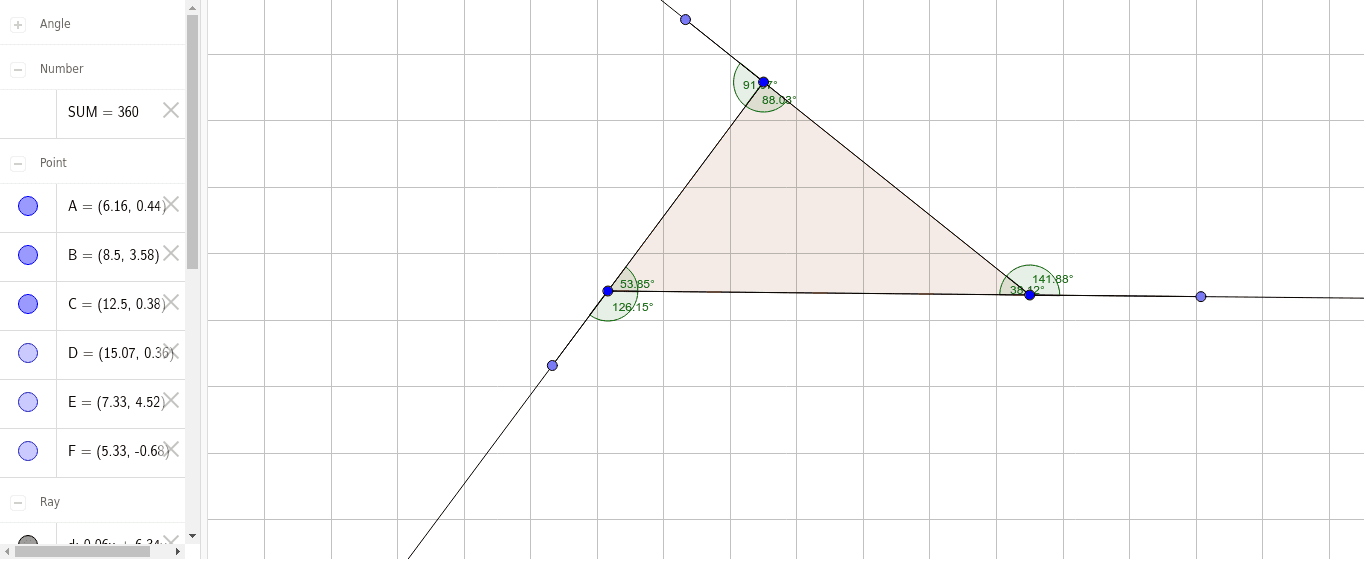
Dragging Vertices to Change Polygon Angles and Lengths
Loading the math board and drawing, please wait…
In collections
Geogebra Investigations
This example demonstrates how dragging vertices of a polygon dynamically alters its internal angles and side lengths. Key math concepts include polygons, angles, side lengths, and geometric transformations. It utilizes commands like Polygon, Angle, Ray, Point, and Segment in GeoGebra for construction. Suitable for middle school and above students to understand the impact of geometric transformations on polygonal properties, and also for visualizing functions and equations.
GeoGebra Commands & Parameters
Polygon(A, B, C) → poly1, c, a, bAngle(C, A, B) → αAngle(B, C, A) → βAngle(A, B, C) → γRay(B, A) → eRay(C, B) → fPoint(f) → EPoint(e) → FSegment(F, A) → gSegment(B, E) → iRay(A, C) → dPoint(d) → DAngle(F, A, C) → δAngle(E, B, A) → εSegment(C, D) → hAngle(D, C, B) → ζ