
Doughnut Model
Loading the math board and drawing, please wait…
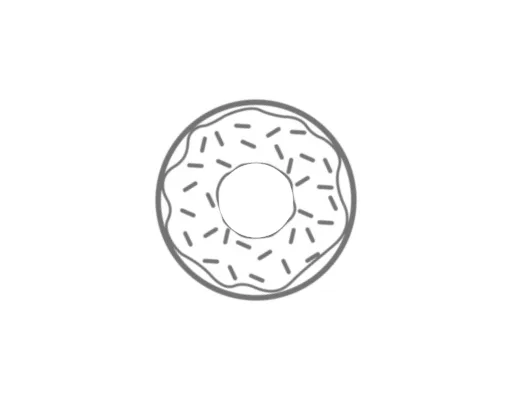
This example demonstrates a doughnut model. It involves concepts such as circle properties, statistical characteristics, and probability & statistics. Using GeoGebra commands like Circle, Sequence, and Element, a series of concentric circles are constructed to simulate the structure of a doughnut. Suitable for high school mathematics education, particularly in statistics and probability.
GeoGebra Commands & Parameters
Circle((0, 0), 5) → cSequence((Element[L_1, i]; ((i * 360 / n_2))°), i, 1, n_2, 1) → l1Sequence((Element[L_1, i]; (((i - 1) * 360 / n_2))°), i, 1, n_2, 1) → l2Sequence(CircleSector[(0, 0), Element[l2, i], Element[l1, i]], i, 1, n_2, 1) → l3Circle((0, 0), 3.5) → sCircle((0, 0), 3) → tElement(l3, 1) → hElement(l3, 2) → kElement(l3, 3) → pElement(l3, 4) → qElement(l3, 5) → rSequence((6.5; ((i * 360 / n_2))°), i, 1, n_2, 1) → l4Sequence(Segment[(0, 0), Element[l4, i]], i, 1, n_2) → l5Sequence((Element[L_2, i]; ((i * 360 / n_1))°), i, 1, n_1, 1) → l6Sequence((Element[L_2, i]; (((i - 1) * 360 / n_1))°), i, 1, n_1, 1) → l7Sequence(CircleSector[(0, 0), Element[l7, i], Element[l6, i]], i, 1, n_1, 1) → l8Sequence((1.1; ((i * 360 / n_1))°), i, 1, n_1, 1) → l9Sequence(Segment[(0, 0), Element[l9, i]], i, 1, n_1, 1) → l10mean(L_2) → misozstdevp(L_2) → omean(L_1) → vstdevp(L_1) → wmean(Sequence[Element[L_2, i], i, 1, n_1, 1]) → b_1stdevp(Sequence[Element[L_2, i], i, 1, n_1, 1]) → o_1mean(Sequence[Element[L_1, i], i, 1, n_2, 1]) → u_1stdevp(Sequence[Element[L_1, i], i, 1, n_2, 1]) → v_1Element(l3, 6) → e_2Element(l3, 7) → f_2Circle((0, 0), 1.1) → c_1Circle((0, 0), 1) → d_2Element(l8, 9) → d_1Element(l8, 8) → e_3Element(l8, 7) → f_1Element(l8, 6) → g_1Element(l8, 5) → h_1Element(l8, 4) → k_1Element(l8, 3) → p_1Element(l8, 2) → q_1Element(l8, 1) → t_1Element(l8, 10) → c_2Element(l8, 11) → s_8Sequence((0.75; (180°) / n_1 + ((i - 1) * (360°) / n_1)), i, 1, n_1, 1) → l11Sequence((4; (150°) / n_2 + ((i - 1) * (360°) / n_2)), i, 1, n_2, 1) → l13Sequence(Text[Element[textoek, i], Element[l13, i], false, true], i, 1, n_2, 1) → l14Sequence(Text[Element[texte, i], Element[l11, i], false, true], i, 1, n_1, 1) → l12
AI Drawing Prompt Reference
Draw a doughnut model consisting of concentric circles and sectors, with a small circle at the center and a larger one outside. Combine multiple sectors to simulate the layered structure of a doughnut, and label key statistical features like mean and standard deviation to illustrate the relationship between probability and geometric construction.
The prompt above was compiled from the original drawing commands and is for reference only.