
Dome Model
Loading the math board and drawing, please wait…
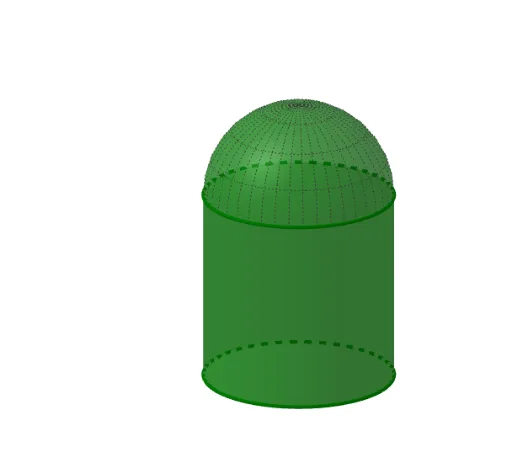
This example demonstrates how to construct a dome model using GeoGebra, involving core math concepts like solid geometry, cylinder surfaces, and parametric equations. Key GeoGebra commands and objects used include Cylinder, Surface, and Textfield. Suitable for high school students learning about 3D shapes and solid geometry.
GeoGebra Commands & Parameters
Cylinder(A, B, radius) → b, c, d, eSurface(((radius * sin(v)) * cos(u)), ((radius * sin(v)) * sin(u)), (radius * cos(v)), u, 0, 6.28319, v, 0, π - (dome / 50 * π / 2)) → aTextfield(dome) → CasillaDeEntrada1Textfield(radius) → CasillaDeEntrada2Textfield(height) → CasillaDeEntrada3
AI Drawing Prompt Reference
Create a 3D dome model consisting of a cylinder base and a spherical cap surface on top. The cylinder has two circular bases defined by two center points, with a radius controlled by an input field. The dome surface is generated using parametric equations, where a 'dome height' parameter adjusts the extent of the spherical cap (from a full hemisphere to a shallower segment). The cylinder height is also adjustable via an input field. The final shape shows a solid composed of a cylinder and a partial sphere, emphasizing spatial relationships and parametric design.
The prompt above was compiled from the original drawing commands and is for reference only.