
Division I: Exploring Geometry and Fractions
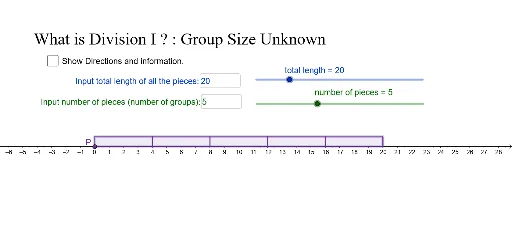
Loading the math board and drawing, please wait…
This example demonstrates how to understand Division I through geometric figures and fraction operations. Key mathematical concepts include geometric construction, fraction arithmetic, and summation. Construction involves GeoGebra commands such as Textfield, Polygon, and Sequence. Suitable for middle or high school mathematics to connect geometry and algebra.
GeoGebra Commands & Parameters
Textfield(n) → InputBox1Textfield(t) → InputBox2Textfield(maxt) → InputBox3Textfield(inct) → InputBox4Textfield(maxn) → InputBox5Textfield(incn) → InputBox6Polygon((x(P), y(P)), (x(P) + t, y(P)), (x(P) + t, y(P) + h), (x(P), y(P) + h)) → t1, i, j, k, lSequence(Segment[(x(P) + (t / n * i), y(P)), (x(P) + (t / n * i), y(P) + h)], i, 1, n, 1) → l1
AI Drawing Prompt Reference
Draw a shape made of rectangles arranged from left to right. Each rectangle has the same height, and the width increases gradually. Connect the rectangles with a horizontal line to form a stepped pattern. Ensure the shape is clear and lines are simple, suitable for math teaching.
The prompt above was compiled from the original drawing commands and is for reference only.