
Dissection of Circle
Loading the math board and drawing, please wait…
In collections
Circumference, Area, and Volume
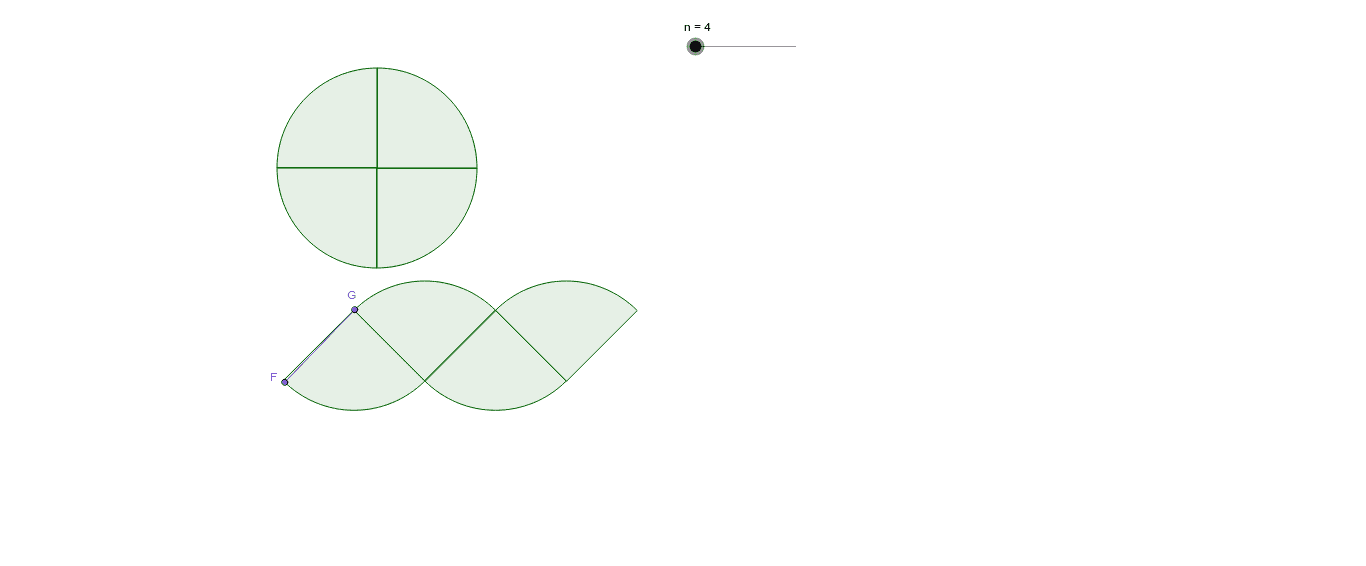
This example demonstrates how to dissect a circle through rotation and division, illustrating the concept of similarity transformation. Key mathematical concepts include circles, similarity, and angles. Using GeoGebra commands such as Circle, Rotate, CircleSector, and Angle, a series of circles and angles are constructed to show the process of circle dissection. Suitable for middle school and above students to learn geometric transformations and similarity.
GeoGebra Commands & Parameters
Circle(A, p) → cRotate(B, (360 / n)°, A) → B'CircleSector(A, B, B') → dAngle(B, A, B') → αSequence(Rotate[d, 360° - (i * 360 / n)°, A], i, 1, n, 1) → list1Point(xAxis) → COrthogonalLine(C, xAxis) → aCircle(C, p) → eRotate(B, 225*°, A) → B'_1Rotate(B', 225*°, A) → B''Rotate(D, (-α) / 2, C) → D'Rotate(C, α, D') → C'CircleSector(D', C, C') → fVector(C, C') → uMidpoint(D', C') → ESequence(Translate[f, Vector[i / 2 * u]], i, 2, n, 2) → list2Mirror(f, E) → f'Sequence(Translate[f', Vector[i / 2 * u]], i, 2, n, 2) → list3Point(list2) → FPoint(list3) → GSegment(F, G) → b
AI Drawing Prompt Reference
Draw a circle and then rotate and divide it around the center to form a series of similar arcs and angles. First, draw a circle, then rotate it around the center to generate multiple arcs and angles. Next, construct a series of circles similar to the original one using rotation and angle transformations. Finally, use translation and mirroring operations to generate a series of arcs, and connect the endpoints of these arcs to form a line segment.
The prompt above was compiled from the original drawing commands and is for reference only.